Screen images of VFPUnit Components
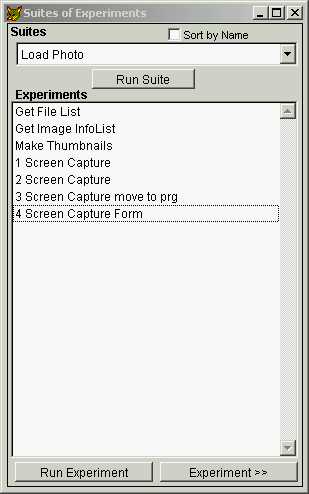
Experiments Listed By Suite
Runs all experiments in selected Suite.
Runs the selected experiment.
Opens selected experiment, or new if none selected*.
*Double clicking an experiment in the list box
will also open the experiment
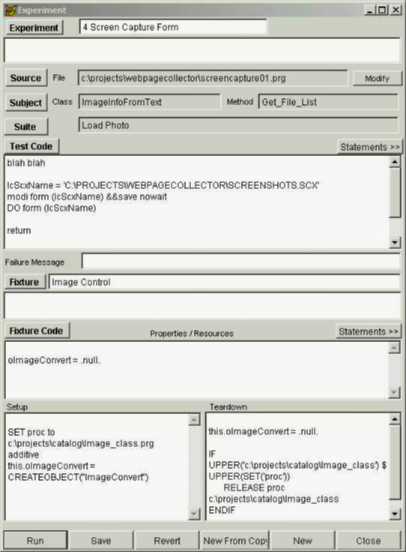
Experiment Main Form
Opens window to edit Experiment description.
Opens window to Select or Create a Source File.
Opens Source Program, or Subject Class from Source ClassLibrary.
Opens window to Select class and method from within source file.
(under construction)
Opens window to Select or Create Suite for this Experiment.
Opens window to edit Experiment 'Test Code'.
Opens window to Drag and Drop Code Fragments.
Opens window to Select or Create a Fixture .
Opens window to edit selected Fixture.
---------------------
Run the experiment.
Save Experiment to Disk.
Discard current changes.
Create a new experiment from a copy of this experiment.
Create a new, blank experiment.
Close this form.
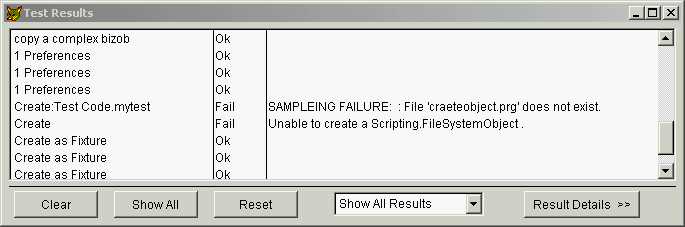
Test Results
Displays: Experiment name, Result, and fail message (if failed)
Note how an experiment may contain multiple tests
Clears the list box, but leaves the internal result list intact.
Shows all of the results.
Clears the internal list of results, and clears the list box.
Toggles Test Results Detail Window on and off
that contains additional information.
Filters Results displayed.
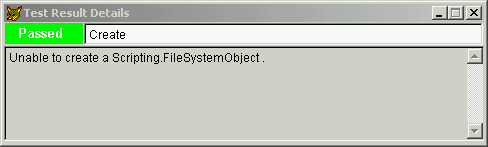
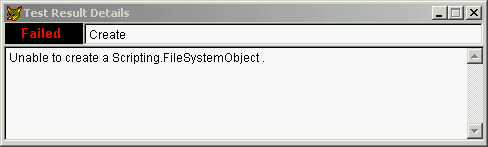
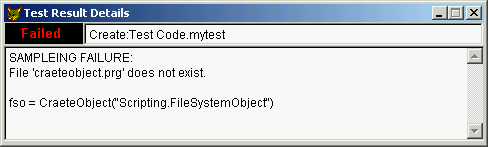
Example Test Result Details
Test Expression evaluated to True
Test Expression evaluated to False
Exception Error Detail
'Sampleing Failure' denotes an exception in the test code (sampleing).
In this case, 'CraeteObject' should be 'CreateObject'.
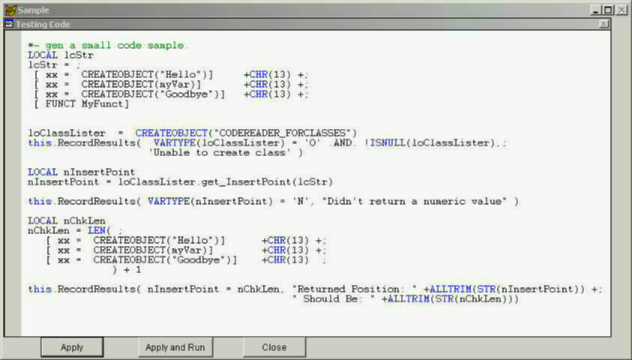
Test Code Edit Window
Transfers text into Experiment Test Code Edit Box.
- Does Not Save Experiment -
Transfers text into Experiment Test Code Edit Box,
and then runs the experiment.
Closes window without transferring.
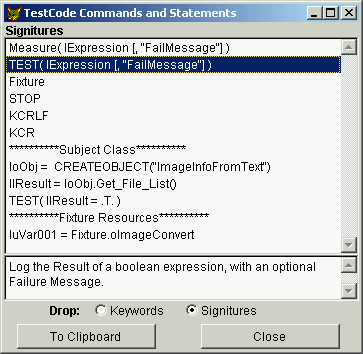
Test Code Statements
Selected one or more items,
drag into editbox control or edit window,
or copy to clipboard.
The Subject Class and Method entered are used to construct commonly used statements.
Fixture properties you enter are also available.
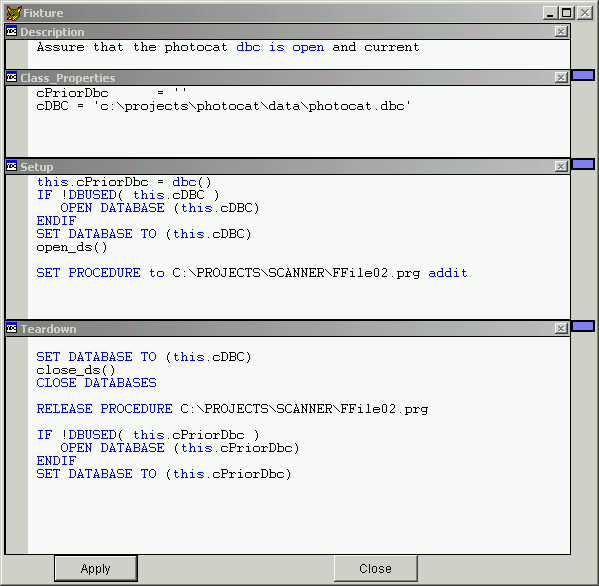
Fixture Code Edit Window
a fixture class definition is created from the code you enter in this window.
Note the need for 'this.' syntax, for the code is really a class definition
Transfers text into Experiment Fixture Edit Box.
- Does Not Save the Fixture -
Closes window without transferring.
Slider bars to size 'snippet' windows.
Class_Properties becomes the property declaration portion of the class definition.
- remember to assign default values to the class properties.
Setup becomes the Method 'Setup' of the fixture
Setup is called before Test Code is executed.
Teardown becomes the Method 'Teardown' of the fixture
Teardown is called after Test Code is executed.
Be aware that Fixtures are shared components.
A change here will affect all experiments using this fixture.
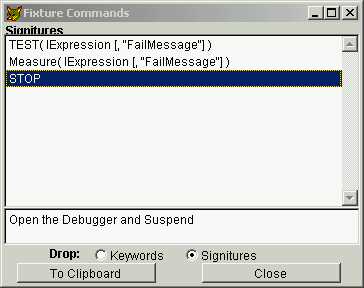
Fixture Code Statements
Avoid dragging Test Code Statements into the Fixture code and vice versa,
You may get strange error results unrelated to your code.
Next Previous Main

  Generated 03/11/02 01:49:41 PM
Hosted by www.Geocities.ws

1