 |
| Satin Tile Tutorial |
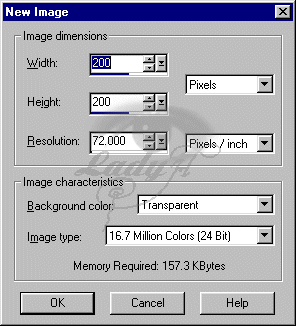
| 1. First Open a new image 200 x 200 (see below)(also by making it bigger you can get a bigger end tile but the selection will change). |
 |
| 2. Set your Foreground to Black and you background to white. |
 |
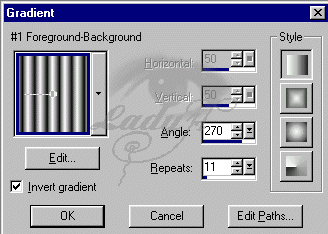
| 3. Now change your colors to a gradient and set it to #1 foreground/background. |
 |
| 4. Choose your flood fill tool and use it to fill your image. |
 |
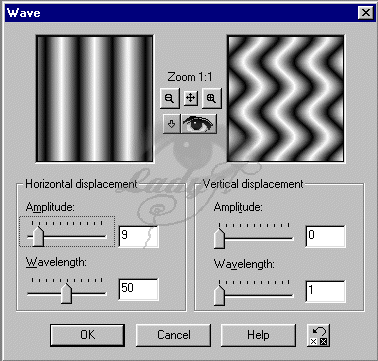
| 5. Next we are going to add a wave. Goto effects > Geometric Effects > Wave and apply using the following settings.(or play with it until you get what you want) |
 |