 |
| Mirror Image Tutorial Page 2 |
| 7. OK now we need to open the image you want to use and copy it edit > copy (you must have an image with no background (or a gif) if the doll is saved on a white background(like a jpg image) promote to layer in your layer pallet (to do that you right click the background layer and promote to layer if it wont let you look at under color and at the bottom increase color depth to 16 million) then select the background and delete it so you have only the image). Ok well that all sounded complicated but I hope you worked it out !!! |
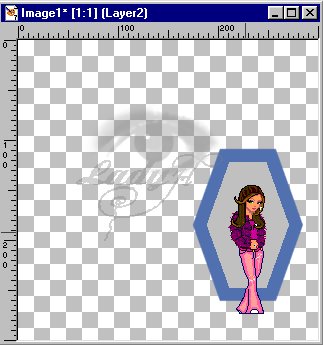
| 8. Now you have your other image copied (I hope) you need to make your frame the active image and paste your image as a new layer edit > paste > As new Layer. Then position it how you want it within your frame. I had to mirror mine as well. |
 |
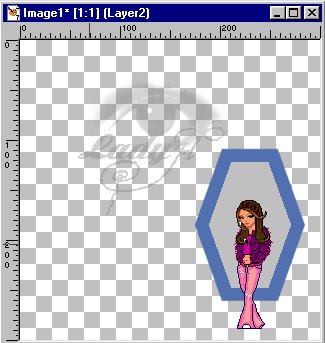 |
| 9. Lower the opacity of your added image layer to about 50 % again its up to you what you want it to look like ... |
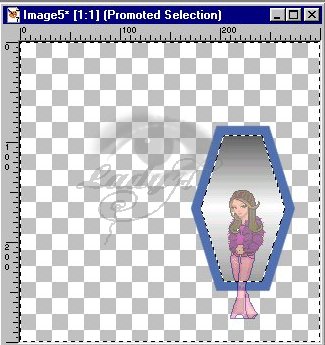
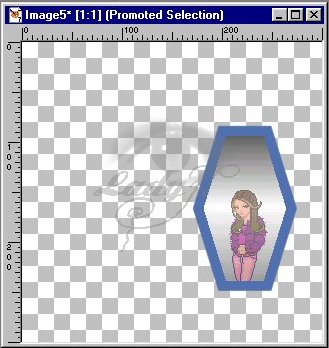
| 10. After adding your new image make the mirror layer active and select with your wand your grey filled selection then invert it.. selections > invert .. and change your active layer back to your added image and hit delete. Then Deselect. |
 |
 |
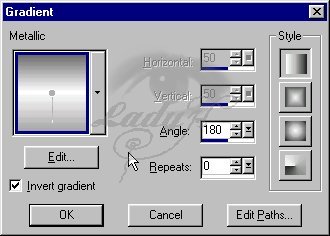
| 11. Now we need to make the mirror look more like a mirror (I did this a step earlier but its easier this way. You need to make your mirror the active layer and using your wand again select the grey in the mirror. OK now make your foreground color a gradient and choose the default metalic gradient and flood fill your mirror. Use the following settings. |
 |
| 12. ok you should still have your image in your clipboard so either copy the image again or just paste as new layer ... line it up with your mirror image. Now you should have a refected image. |
| 13. Now i would merge your image before you continue .... layers > merge > merge visible. |
| 14. Now you can fancy it up .... add any tubes you have and want to use or anything you want use your imagination .... |
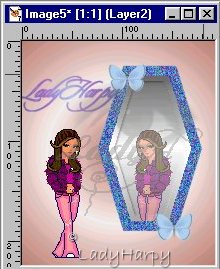 |
| Of course you can do much better then that add tubes and sparkles or whatever you want and there you have a finished mirror ... |
| Hope you enjoyed and could undestand this tute .... Ladyharpy .... |
 |