Scanline Approach Introduction Now, Wireframes used to be the standard method when displaying 3D graphics (or graphics in general) but this has changed over the past 30 or so years. We are now able to produce fully bodied objects, by using many smaller primitives (triangles as we saw) that form this object. We are only able to do this because of the introduction of Raster-displays, which, like your monitor, have small picture elements (also knowns as Pixels) that can form larger pictures. Yet we still need an algorithm to actually "fill" our wireframes with a color, or some sort of information. We do this by using a method called "Scan-line". Scan-line To fully understand scan-line, we must remember how we used to display our primitives until now. Until now we simply connected the dots forming the primitive, to create a wireframe effect. The scan-line approach also involves (as the name suggests) lines. These are mostly horizontal lines. How this works, i want to try to explain like this: 1. Our Program searches for the top of the Polygon 2. It then Starts "Scanning", by going from left to right 3. As soon as it crosses the first "line" from the wireframe, it starts coloring everything thereafter. 4. It continues until it hits the other end of the wireframe. 5. The program goes to the next row of the Polygon and repeats everything from 2. until it reaches the bottom of the polygon. To make it more clearly, here is a small graphic that displays how it works: 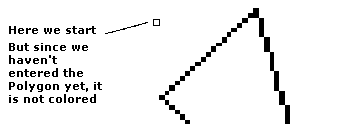 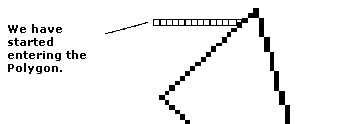 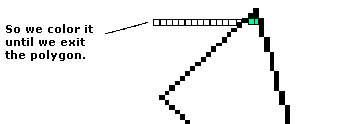 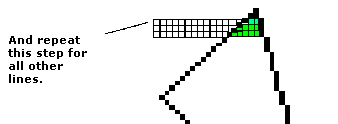 This would be our first try at a scan-line. We can see that we can optimise it straight away, by not starting at the far left, but rather at the actual start of the Polygon. (Even tough, this might seem totally obvious, in practice both are almost the same speed, and if coded wrongly, the above way, by starting from the far left, is actually faster, due to less mathematical operations). This is just one approach (one that is widely used) of filling a polygon. In my opinion it is the fastest. I have seen some Graphics Application that utilised a path-finding algorithm to fill a polygon. The upper side of this is less artifacts. The lower side, the slower speed. Anyways, at this moment, i haven't completed the example file yet, but will finish it soon, i hope. Back to the Last Tutorial |