
Computer Memory
You've heard that computer have memory, but what is it?
Well, the computer's CPU manipulates your data and needs a place to store it while it's working with it.
System Memory is especially designed to "remember" your data with the system running. It allows the CPU to access and change the data as needed very quickly. Although very fast, System Memory won't remember your data when the power is off, so you have to store it on a much larger but also much slower device such as a Hard Drive.
Normally, data is stored on disk drives such as a Hard Drive when it is not being used, and the CPU loads it into System Memory for very fast access while working with it. What you see on your screen is an example of data in your computer memory.
It is important to not confuse Memory with Hard Drives. They are both forms of Data storage devices, but serve different purposes.
Memory is used for storing data that is actually being used at the time, while Disk Drives such as a Hard Drive are used for storing data on a long-term basis.
Basically, increasing your System Memory will improve performance, while increasing your Hard Drive space will allow you to store more stuff such as pictures, music, letters, etc.
Memory is expensive, so most computers are manufactured with a minimal amount. Worse, Graphical User Interface Operating Systems such as Microsoft Windows are very memory intensive.
Almost every single Windows computer made could use a lot more memory. I recommend upgrading your memory to at least 512mb for a Windows XP system, and preferably 1gb.
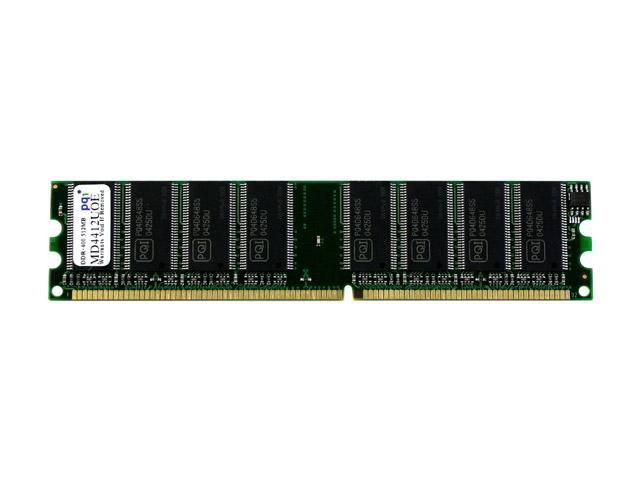
Modern System Memory takes the form of a small circuit board with memory chips soldered onto it.
This board is often called a Memory Module, and is rated for speed, (in hertz) size (in bytes) and type.
example: 512mb(size) DDR(type) 400 (speed - mhertz)
Memory Modules have evolved over the years, as technology has changed and improved.
Many different forms exist, so it is important to use the correct type and speed for your computer.
Having obtained compatible memory, installation is usually easy.... just turn off the power, unplug the PC and plug the module into the memory socket (or slot) on the mainboard. Most modern systems require no further setup. (note- computer parts are usually sensitive to static- ground yourself to a metal object before and during handling)


