
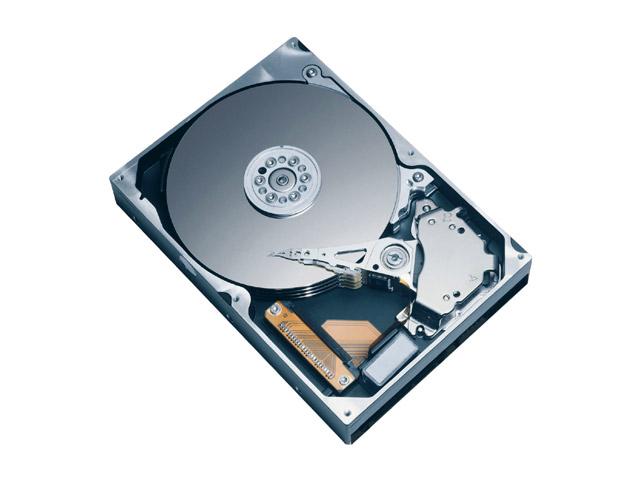
Hard Drives
Although it's not strictly necessary for the computer to operate, it makes operation very much more convienient, as files and programs that would take hundreds of years to type in via the keyboard can be loaded in seconds.
What it basically does is this: It stores your programs and data for later retreival. That's really all there is too it.
These programs such as your Operating System (Windows) can be extremely large, sometimes hundreds of megabytes in size. (one keystroke = 8 bytes, one megabyte = 1,000,000 bytes) Your Data is really just your stuff... that is: letters you type to Mom, your pictures, those MP3s you aren't suppose to have, etc.
The Hard Drive can store massive amounts of Data, far more than the System Memory can hold, but it does it relatively slowly. However, it is also relatively permanent and makes a reasonably safe place to store things. (unlike the System Memory, which loses Data when the power is turned off)
It is important not to confuse Hard Drive space with Memory. The hard drive is indeed a form of memory, and in fact Windows can use it as extra memory (really slow memory), but it's primary job is to store your stuff for later retreival.
A larger Hard Drive will increase the amount of stuff you can store, while more memory will increase your system's performance.
Modern Hard Drives are measured in Gigabytes (gb). Drives of tens or even hundreds of gigabytes are common, and new ones get larger all the time. There are only a few different standards currently used, the first being IDE or EIDE also known as "ATA" A relatively new and vastly improved standard is SATA. This is a highly desirable improvement, and more and more new systems offer this.
SATA is only significant to the average user as a desireable improvement, and something to look for.
SATA drives are NOT directly campatible with older computers, although IDE / ATA ones will usually work with newer computers.


