 |
| Avatar Help Page 2 |
|
 |
 |
 |
 |
 |
 |
 |
 |
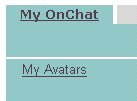
| <<< Click "My Avatars" |
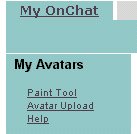
| <<< Click "Avatar Upload" |
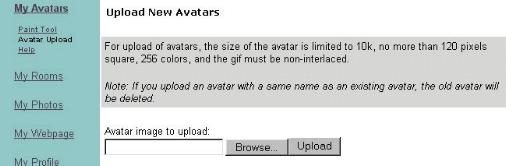
| "Upload New Avatars Screen" |
| Now,you Click "Browse" and "Choose file", pick one of avatar file and Remember that picture size are 120 pixels and also must be *.jpg or *.gif format. (120x120 is fit with your photo pictures) NOTICE: No Naked or Nude photographics are not ALLOWED on this OnChat, your setting rated are "G" for all main rooms are the normals. |
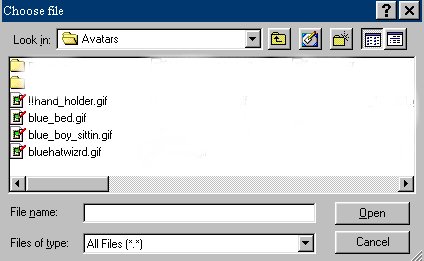
| "Choose file", In the folder "Avatars" and click ONE of the avatar file (point the filename and click it) and then Click "Open". |
| then you CLICK "Upload", you are uploading your avatar file to in member. |
| If you have question and then Click "Next" |
| ~~~~~~~~~~~~~~~~~~~~~~~~~~~~~~~~~~~~~~~~~~~~~~~~~~~~~~~~~~~~~~~~~~~~~~~ |
| <<< Click "My OnChat" and then.. |
| <<< Click "Upload" (from your avatars file) |