| Avatar Help Page |
 |
 |
 |
 |
 |
| Well I built it this to try to help some new people to the web out on how to load avatars to onchat and how to save images (avatars) from the web. |
| Note that once avatar is uploading you must close your browser and reload. (Internet) |
| Follow these steps (remember that) |
| 1 |
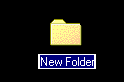
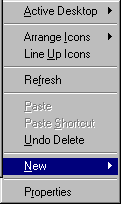
| now you click the right hand bottom mouse and click "New" a new folder. |
| 2 |
| you type name of the foler as alike "avatar File" or "web images" and then press enter when u done. |
| 3 |
| Now that is folder is ready |
| 4 |
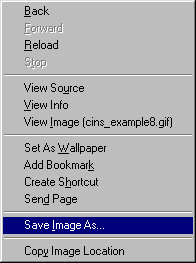
| Okay now, you click right hand bottom from the pointing on the avatars picture. Then Save as pictures. |
| 5 |
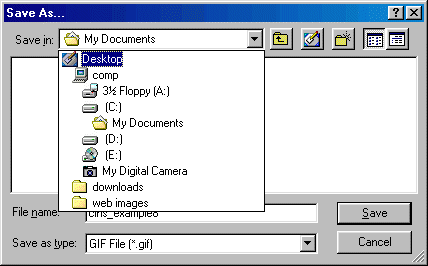
| Save As to where which folder that you did creat a new folder, click the yellow folder "web images" or "avatars file", click open folder and then you save the avatar file, click Save. thats all you there. easy huh! |
 |
 |
| there is more help for next page 2, for how to upload the avatar at OnChat! -->> |
 |