 |
|
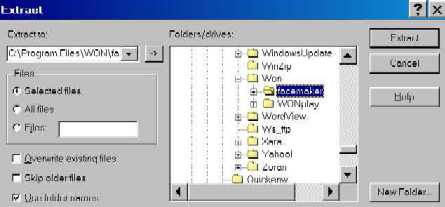
| this will open Won. chose facemaker by single clicking on it to highlight it. then click on extract. the face is now stored in facemaker. you are done. close out winzip,, and your face is now ready to use in flipside. |
| STEP 7 |
| NOTE: |
| You must have hoyle facemaker program installed on your computer in order for these faces to work. |