Reminders for the First Day
Environment-
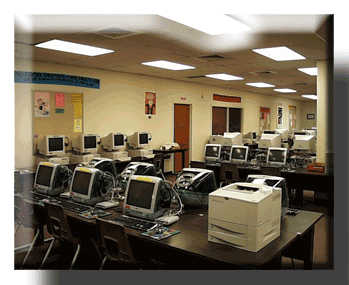
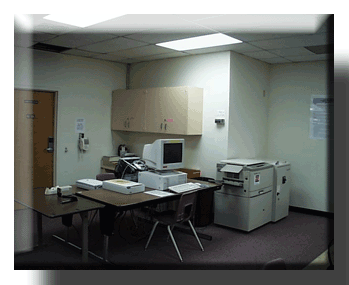
How should you set up your lab? Ideally, your computers should be set up in a U shape so that you are able to see all screens
at all times. The teacher computer should be set up at the opening of the U. Posters, a projection system with screen, digital cameras, scanners, 2 or more printers are all good things to have in place.See examples below-
Books and Materials
What type of software should you use? There are tons of catalogs that you can look through. Or you can just go ask F.E.R.R.E.T. Digby at Edumatch. This website will dig up software that matches your state's curriculum, your teaching style, and all the features you prefer.
Also, keep the Minimum Competencies for Curriculum-Related Technology handy. There are also tons of books you can use as resources.
Classroom Procedures
Your guiding document will be your acceptable use policy. Make sure you have one on file for every student who will be using computers at your school. Disciplinary actions for violation of the AUP are based on your school's discretion. Make sure you make the students accountable for using the equipment and keeping it in proper condition. You might want to make a Student Tech team that comes and cleans your computers periodically.
Reminders for the First Moments
These tips are taken from some seasoned Technology Coordinators in the Diocese! If you need any help or suggestions, they would love to hear from you and give you advice!
In education, most teachers have buddy teachers whom they can bounce
ideas off of. I believe that we need to do this in the Technology
Field. I have several teachers whom I contact when I have a question.
I am willing to act as a buddy to any new teachers whom I can help.
Louraine Collins, Immaculate Conception School, Willoughby
I do classes for our classroom teachers once a week after school to
introduce them to new (or old) software, the internet, etc. I get
hours toward certification for teaching them and they get hours for
coming. I seems to have worked really well. Last year I started with
turning on the computer and progressed through word processing, using
the internet and using the programs that the children use. This year
I know I'll be doing classes on Grade Pro, more internet, and anything
else that the teachers request. Attendance is sporadic for some, but
there have been other teachers who have attended every class.
Sandy Gonsowski, Holy Cross School, Euclid
Where to begin??? First, I think our job is one of
the most difficult and challenging, trying to be
everything to everybody at all times. Keep calm, cool
and pacient!!! You can only do so much. If you and
when you feel overwhelmed, be not afraid, it happens
to the best of us?
Try to work with teachers who are interested in
learning and will to work with you. The others will
follow, some much slower than others.
Usually, as in my school, there are only a few, who
have the right idea. If you can make others see that
it could work, eventually they will follow along.
Stay with simple attempts at first. Small steps for
you and them. Most of our projects have been done with
middle school and grade 5 and up, mostly in the Soc
Studies/ Math.
I have countless files of "tutorials". Study guides
for students, Grades 4-8. They range from simple word
processing, to database, spreadsheets, etc.
Much can be done with very little software,
particularly if they are on-line.
Stay cool, calm and Christ-centered and He will take
care of the rest.
Good luck to all and God Bless!!!!
Marilou Strathern, St. Anselm, Chesterland
Back