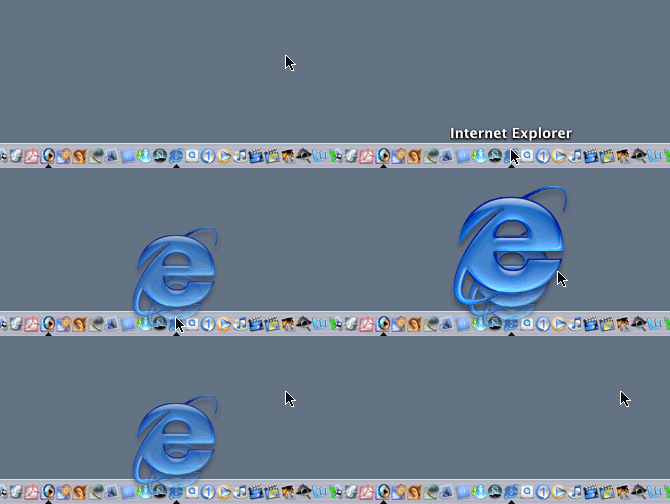
Opening an Application "Zoom or Scale Effect"
(continued)
Dock Effects
Dock effects are basically a visual indication to the user when something occurs example bouncing or pulsing icons when an application opens. In this section I'll bring in some new ideas into the fold(yes, I'll eventually get flash).
Opening an Application "Zoom or Scale Effect"
The icon increases 50%, then 75%, and finally 100% along with the transparency. This would also be a great effect to add to minimizing windows, not only should they scale down but they should become less opaque gradually. Vice-versa when maximizing. The same applies in the Finder, there should be a visual indication when the user double clicks on a file the "zoom rectangles" that are disabled and only accessible with Tinker Tool or a new animation like above(better both, let the user choose). Add sound effects as well. Now back to the dock hidden applications should be semi-transparent in order to visually indicate that they are hidden.