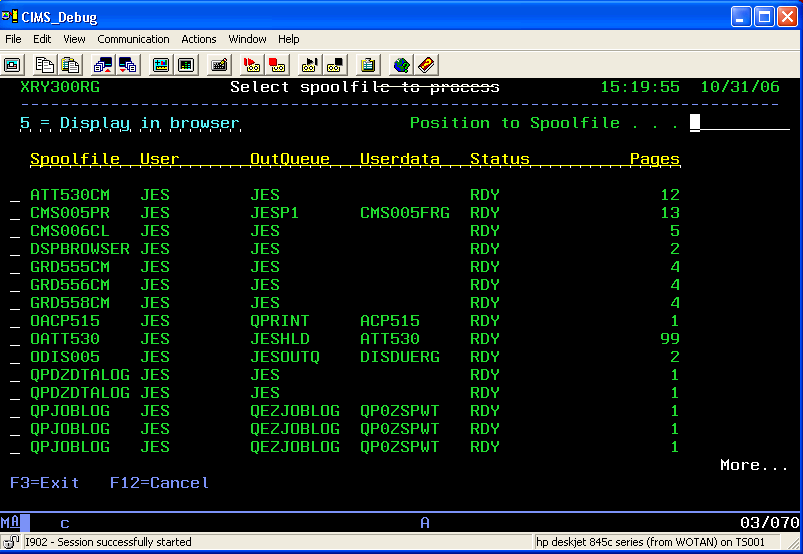
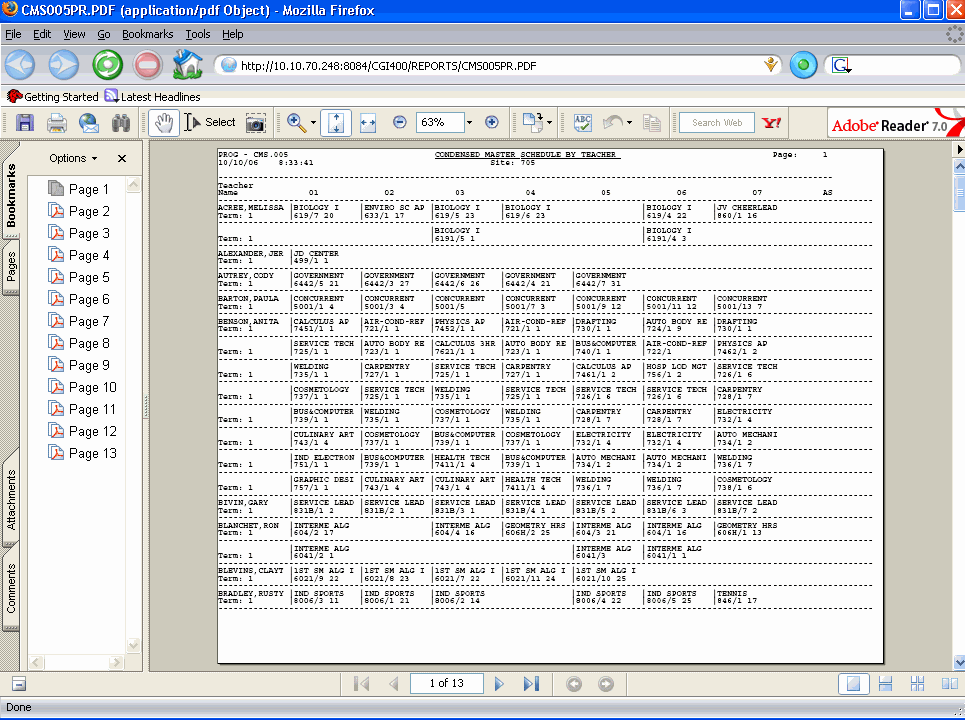
Utility to display a user's spoolfiles, select a spoolfile, convert it to a pdf file and display it in
your browser. This process is all seamless to the end user, all you do is put a "5" by the spoolfile you
want and it pops up in your browser automatically. Control of this command is table-driven, so the data you
put in the table controls who can use the command, and what browser the user prefers.
Spoolfile Selection Screen PDF Output in Browser Back to top
In order to use the SplBrowser utility you MUST have an AS/400 http server instance running in order to
display the pdf files in a browser. If you do not have an http server set up, you can refer to this link
to help you get started;
Getting started with the IBM Web Administration for iSeries interface
Assistance in setting up an http server is NOT included in the purchase of this utility.