|
|
|
You can listen to World Class Alternative in near CD sound with the Jet Audio player. Best of all you can listen for hours without being kicked off the stream and having to restart the player! Others like WinAmp will work as well, but these instructions will be for Jet Audio. |
|||
|
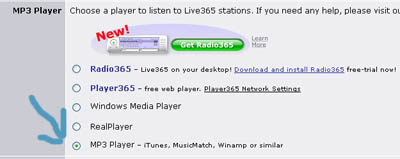
To use Jet Audio for MP3 pro audio: instructions for 6.0.6 shown Now this is a little technical. I would not recommend this for people that can barley use a computer. 1. Close the Live365.com player if you have it open 2. You need to change your settings on Live365.com. Go to Live365.com and click "My Account" on the top right of the screen. 3. Click "Listen Settings" 4. ON the "Listen Settings" page Select "MP3 Player". Go to the bottom and click "Save Settings"
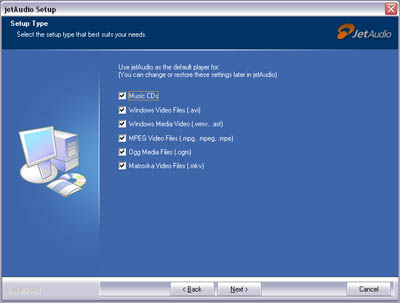
5. Download Jet Audio from: http://www.download.com/JetAudio-Basic/3000-2167_4-10495839.html?tag=lst-0-6 6. Start the instillation process for Jet Audio. If you want Jet Audio to be your default player for everything on your system (movies, audio) just keep clicking next and go to step 9. If not go to step 7. (I use step 7 and 8) 7. The one of the first set up screens will look like this. Uncheck all the boxes and click next.
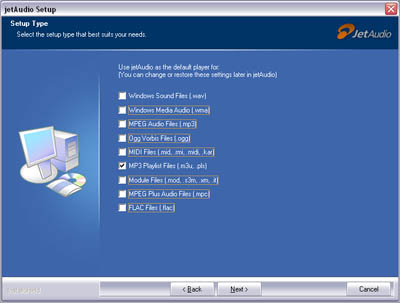
8. On the next screen uncheck all the boxes except for the MP3 Playlist files (m3u, .pls)
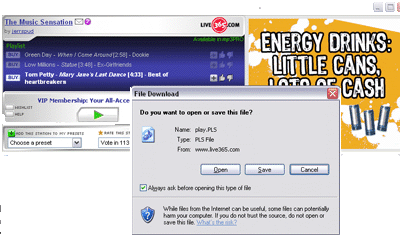
9. Now all you have to do is click the normal play button for World Class Alternative on this site or on Live365.com 10. The normal live 365 window will open and play an ad. After that you will get a "file download" box asking what you want to do with this file. (IF you get pop up block you must allow it. Click allow pop ups). Make sure there is a music note logo for Jet Audio. (If not you did something wrong in step 3 and 4. And it would be easiest to remove the program and start over.) Click Open and Jet Audio will Buffer and Start Playing. Leave the Live 365 window open to see the names of songs and vote for them.
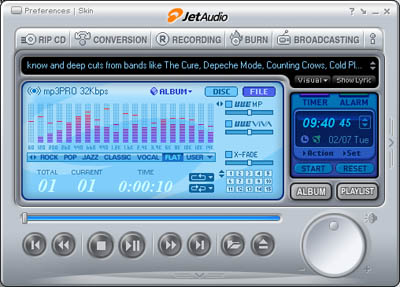
11. Rock on! See how it says MP3 Pro
I'm no tech expert but let me know if you have problems. I've done this at work and home with no problems. |
©2006 WorldClassAlternaive.com updated 2/9/06