|
|
 |
|
|
|
|
 |
 . . |
|
|
|
|
|
|
|
|
|
|
|
. |
|
|
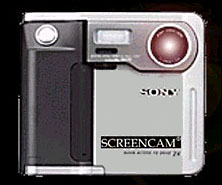 |
|
your photo directly of your computer monitor. |
|
Features:
* No camera needed * Very low cost download on line (340k), use credit card, pay only $5 US |
How it works:
The Tv screen has a raster. scanning 60 times per second. With your face close to your monitor in a darkened room, the
program
can detect the changes of the scan reflection on your face and convert it into a good quality image. |
|
1. Darken the room The computer monitor screen must light your face. Any ambient light will cause a faded image. |
|
|
|
3. Look directly at the Screencam lens and don't move. 4. Click "Take Photo" |

 |
|
|
|
1. You moved whilst photo was taken. 2. Camera detected you did not smile. 3. Try again & smile. |
 |

|
|
|
|
|
Please wait 10 seconds and click "Show Image" again |
 |
|
|