
Photoshop
Text
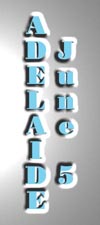 |
Text Type 4: Raised Text - Created a new RGB file and entered Quick mask mode. Entered vertical text and Edit>cut, Edit>paste to centre text in document. Deselected text and applied Gaussian Blur of 3.5 pixels followed by Ctrl-V. Selected the RGB channels (Ctrl -~) and chose Filter>Render>Lighting effects. Entered an Omni light type with gloss and material set to +100, exposure 0 and an ambience of 8. The texture channel Quick Mask was entered with white is high unchecked and a height of 58. |

