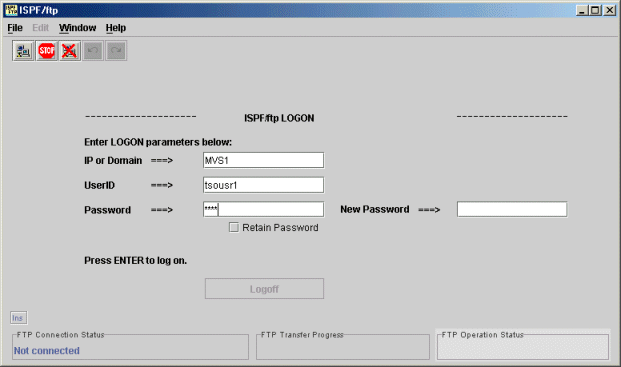
Logon screen
The logon screen allows the user to specify the IP number or domain
name of the FTP server. This can be any ftp server, not just an MVS
system.
The user ID must be an existing user defined to the system.
The password is the users current logon password. Future versions of
ISPF/ftp will allow for changing the password during logon.
The
"FTP Operation Status" window in the lower right corner shows all
responses from the FTP server. This log is also available in
ISPF/ftp option 6: "FTP Commands".
