 |
 |
| Congratulations! You've found the ''How to'' page!! Being the curious little Net-explorer you are, you've probably learned not too long ago that, as a common rule of thumb, everything that looks clickable on a web-page, probably is. Well, here you are! As a reward to my more astute viewers, as well as some of the ones who've clicked the button out of mere coincidence, I bring you a more in-depth view of the many funcions of this site. Have fun! |
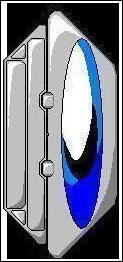 |
| For as much attention to detail as this little device has, it actually serves no other purpose than decoration, for now anyways... In the future, I hope to turn it into a sort of task bar, with a menu, and perhaps evev a jukebox, if memory allows. |
|
| This, of course, you already know about. But for the sake of those who did just find this page by accident, and those of us who have an extremely short memory span... I'll explain it again. Like the page ending arrow on the top, this blue orb will give you as much help as possible whenever applicable. This is just one of the few "How to" pages. There are others on this site pertaining to downloading procedures, as well as other pertinent information. So remember kids! If your ever in doubt, push the blue button! |
| RandomText |
| You may also find it interesting to know about the text coloring scheme. When I first started construction on this new site, I wanted to make it look like those cool Holo-screens you see everywhere in futuristic Manga. To that standard, all of the semi-pertinent text is outlined by the blue backround, while titles and sub-directories are merely done in the Agent Black text format. |
 |
|
| This little beauty can be found at the bottom of each, and every page. By clicking on it, you will be sent back to the index, or the homepage, as some refer to it as. It.s a cleverly hidden 'home' button that goes quite well with the rest of the page,or, at least I think so... |