
"Text"uring a background
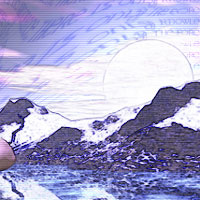
This tutorial is meant to explain how I created the texturing effect in the background of that picture armed only with text and the liquify tool... and that's pretty much the secret.
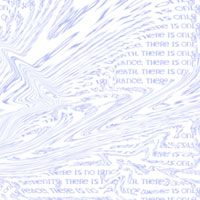
First, create a layer of text- in this case, I used a couple of lines repeated over and over and over until it filled the document window. I used a fairly light color against the white background - subtlety is the watchword with crazy effects, I think, unless your name is Picasso...
Then, beat on it with Photoshop's liquefy tool until your eyes bleed, or the text does. I believe that Paintshop also has this tool, but I could be wrong. Try to keep with the contours of the original image, and use various brush sizes.
Set the layer's blend mode to "Overlay," or maybe "Multiply," and play with the visibility to taste.
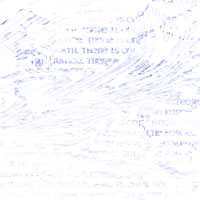
This is what you get when you combine the text layer, set to normal Blend, with the "outline" overlay created in the "Watercolor" Tutorial.
By the way, for the three of you who were wondering, the text string I used was the "Jedi Code" as it is listed in the Wizards of the Coast RPG.