![[resume]](images/btn-up.gif)
| |
Resume of Gurmit Singh |
User Interface Design - Examples
Click on thumbnail images to display actual size...
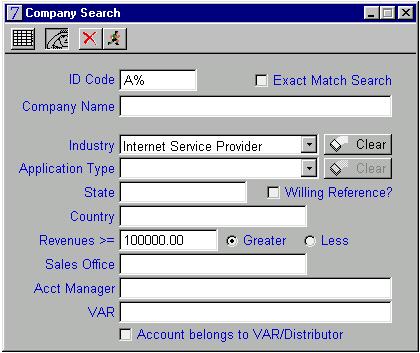 |
Company Search Screen [expanded]: This startup window allows a user to enter various complex search criteria, then click the "run" button to execute a search against a remote SQL database. The application then displays a list of all Company records which satisfy these search conditions. |
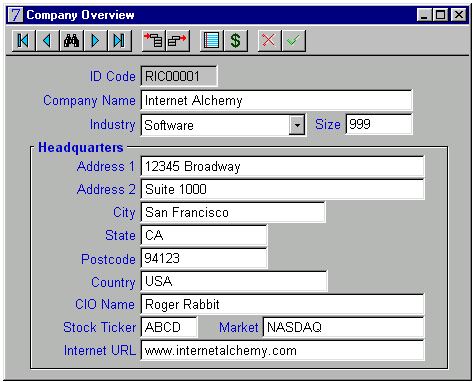 |
Company Overview Screen: This screen displays detailed information about a particular Customer. Tool-bar controls allow the user to "drill-down" into various Customer Profile windows. Other push-buttons permit navigating through Customer records in the current Search List, and to delete or insert Customer records. |
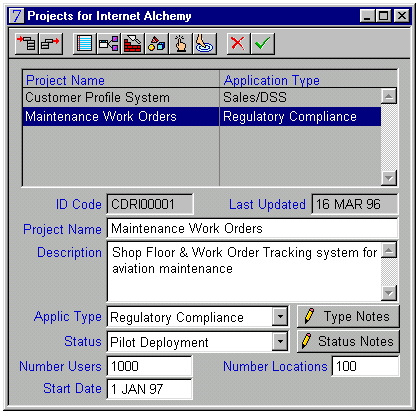 |
Projects Listing by Company Screen: This window contains a list of all Projects for the currently selected Customer. Selection of a particular project in the list permits access to detailed information about the project. Various tool-bar controls allow the user to enter or update ancillary data (project details, business objectives, contact persons, future goals, etc) for the selected Customer Project. |
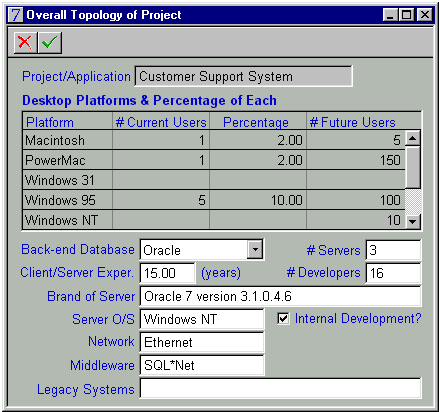 |
Project Topology Screen: This data-entry window displays detailed configuration information about a specific customer project, including client platforms supported, database host servers, network protocol, etc. |
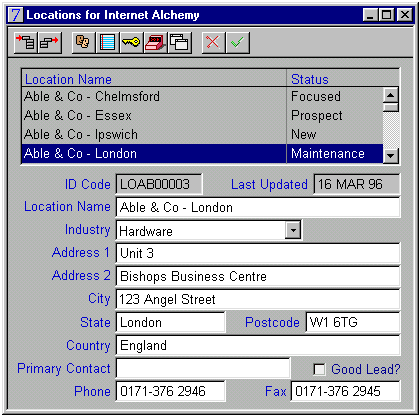 |
Locations Listing for Company Screen: Contains a listing of Locations (sites) for a particular Customer. Detailed marketing information is displayed for the selected site. Toolbar controls provide access to various "drill-down" screens, these containing information about contact personnel, text notes, sales history, etc. |
![[top]](images/top.gif)
| Mail to: mailto:[email protected]?Subject=Resume | Last updated: Thu, 22 Aug 2002 |