 |
| how do i change my visable users..? |
| All members of worlds start with only 8 members visable,You can chage this to either increase the number or decrease... the more worlds members you see the slower worlds will be and visa versa. the highest number is 24 members visable. |
| here how to increase your number of visable worlds members. |
|
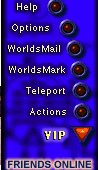
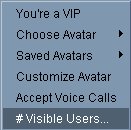
| Ok,to start with click on the VIP button on the right hand pannel and then click on visable users option. you will be able to see what it is set at, and choose the amount you wish to increase (or decrease) it by. |
 |
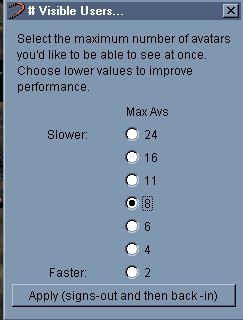
| IF yours is set at 8 (like the one left) you simply click the number you wish to increase to (increase to 24 right) |
 |
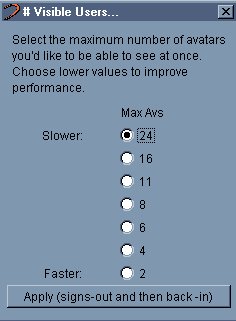 |
| for these changes to take effect you will need to sign in and out,so simply click the "apply signs-out and then back-in" button which is under the visable users slider |
 |
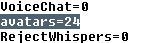
| IF however your one of those people who just oves messing with their ini file you can change your viable users from there.. |
| look down the ini file for the word avatar=8 and change the 8 to 24 (or higher,i have heard of people being as high as 48) (picture right of the word your looking for) then save your ini file and if your running worlds at the same time you will need to sign in and out if not next time you go on worlds you will be able to see more members. |
 |
| The advantage of highering your visable user count is you will be able to see not only more avatars but their chat on the main bar and so you will have more people to interact with. |
 |
 |
 |