This way is for the worlds member who wishes not to go into there worlds.ini file and 'mess' around.
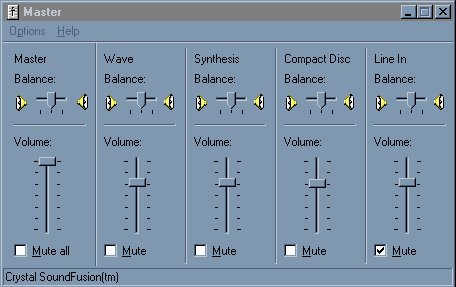
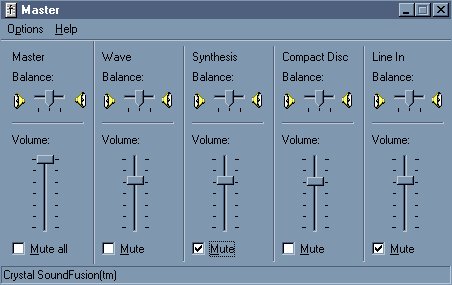
look on the task bar for the speaker icon (picture right)and DOUBLE click on it,you should get the master control box (picture below)


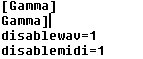
open your worlds.ini file and at the top under the line [GAMMA] add the following lines:
disablewav=1
disablemidi=1
if you have your worlds programme running while you do this you need to COMPLETEY shut the worlds programme down and restart it again for these changes to take effect.if however you do this while worlds is not running the next time you do run worlds the music should be disabled.