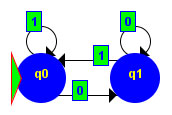
Graphical DFA Editor |
|
|
|
The Graphical DFA Editor offers the following features and capabilities:
This software can be installed and run on any operating system with these requirements:
The Graphical DFA Editor software comes bundled in zip file with the name DFAEditor.zip. Extract the contents of this zip file to any directory of your choice using any PKZip extracting utility. A copy of Winzip® 8.1 (evaluation version) installer for Windows systems is provided in the CD containing this software. Make sure that the directory structure of the zip file is preserved when extracting its contents. The following files should be found in the directory where the contents of this zip file are extracted:
Browse to the directory where these files are extracted. Make sure that the latest version of the JRE (Java Runtime Environment) is installed in the system. Run the DFAEditor.jar file (e.g. by double-clicking the file). If it does not run automatically, try executing the following command on a command-line: <DFAEditor extract directory> java –jar DFAEditor.jar If neither of these two options will work, then the JRE has not been properly installed in your system. Reinstall the JRE, and try running the software again.
Click here to view the User's Manual.
Click here to view the dfaeditor API (w/ source codes).
The Graphical DFA Editor was designed and developed (and toiled upon!) by the following people:
The developers of this software may be contacted through Mr. Luisito L. Agustin, a faculty of the Ateneo de Manila University Electronics, Computer, and Communications Engineering (ECCE) Department. |
| Copyright © CE160 2004. All rights reserved. | |