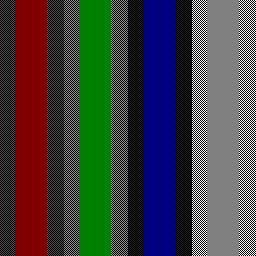




Gamma
When I first started posting pictures on the internet I noticed that they seemed dark and most of the shadow detail was lost. I discovered that for some reason Windows makes no allowance for the non-linear nature of monitor displays, whereas my graphics programme, Paintshop Pro, allows me to adjust the display so that pictures display correctly. So when I started producing this web site I tweaked all my pictures to look OK in Internet Explorer. But this leaves me with a problem.
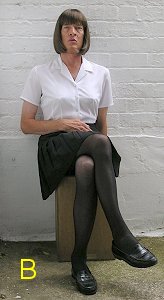
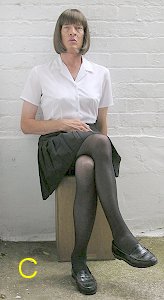
If I don't tweak a photo it looks like A in IE. If I do tweak it, it looks OK, like B. But then if someone downloads the picture and looks at it in a professional graphics programme it looks like C, too light and thin!
I have decided to adjust the gamma on all my photos so that they look right to anyone viewing the site in a web browser. If you want to download any of my pictures and correct them back to how they were when I took them, then use this image to calibrate your correction.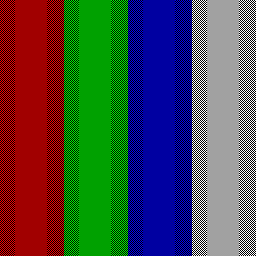
This clever chart tells you when you have the correct gamma, which is when the blocks of solid colour look the same brightness as the checkerboard patterns surrounding them. I have applied the same gamma correction to this version of the chart as I do to my photos. So if you adjust the gamma of this picture so that it looks right, you will have found the gamma correction to give all my photos. Simple eh?! If you want the chart in its original form so that you can check the gamma of your display, you can download it here