
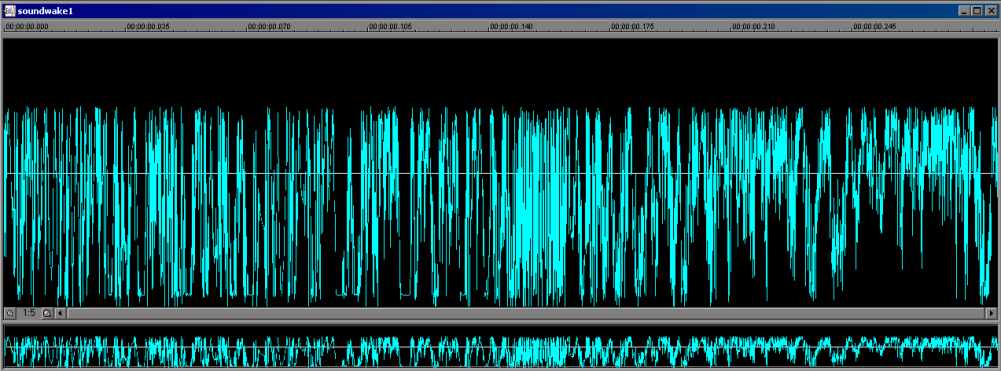
Mixing is easy -- the first thing you do, is completely select the sound that you want to mix. To completely select a sound, double click anywhere on the sound -- the entire sound should turn black, like this:
|
|
|
|
|
|
|
|
|
|
|
|
|
|
| Basic Sound Mixing With Creative Wav Studio (cont) | |||||||||||||
| Now that you have the program set up, open up the sound effects that you would like to mix. Make sure they're in wav. format, and are both mono -- if they aren't the same format, when they're converted, they will be put in the format of the sound that you're mixing into. This can reduce quality though, but don't worry about it for now. There will be other tutorials to explain these techinical issues. Mixing is easy -- the first thing you do, is completely select the sound that you want to mix. To completely select a sound, double click anywhere on the sound -- the entire sound should turn black, like this: |
|||||||||||||
|
|||||||||||||
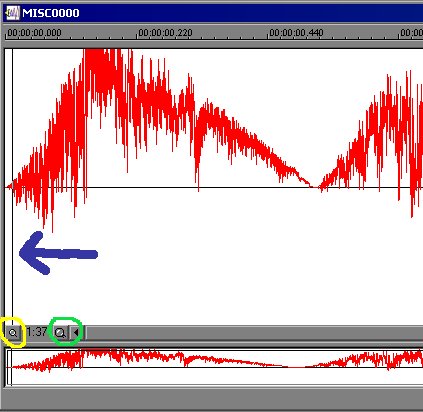
| Now right click anywhere on the sound, and select "copy". Now, on the sound you want to mix to, click on the front of the sound -- or, click where you want to start the mix from. Like this: | |||||||||||||
|
|||||||||||||
| The Blue arrow points to where you just clicked -- this is where your sound will begin to mix from. The Yellow circle shows the zoom-out button, and the Green circle shows the zoom-in button. | |||||||||||||
| Back | Next | ||||||||||||