Automated transaction processing
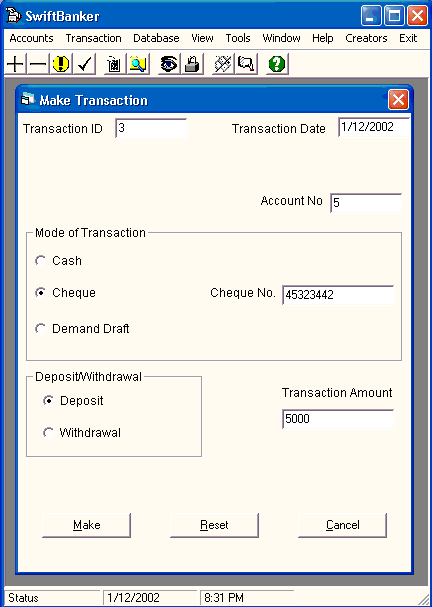
The transaction module of the software can be used to make day to day transactions, as they happen in a typical banking scenario. Customers of the bank can withdraw or deposit funds to their accounts using three modes of transactions : cheques, cash and drafts (bankers' cheques).
a) Withdrawal : Customers can withdraw funds either by writing a cheque, or by filling a pay in slip. The software checks whether sufficient funds are available in the account to complete the transaction. If so, the balance of the account is debited by the amount demanded by the customer, and the cash is made available. The transaction is identified by a unique ID(self generated), and is logged for future reference. The log entry has details like the transaction ID, account number, date of transaction, Mode of transaction, the associated Cheque, Pay-In-Slip or Demand Draft Number, whether the transaction was a deposit or a withdrawal, and the transaction amount.
b) Deposit : The customers can deposit funds in the form of cash, written cheque or a demand draft. The amount being deposited is added to the current balance in the account, and the balance updated. After the trasaction is successfully completed, it is again logged for future reference, with all the relevant details.
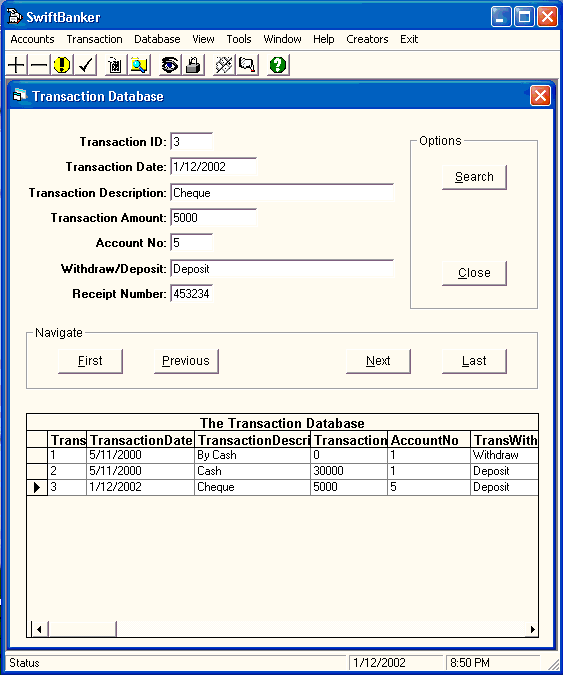
c) Viewing of transactions : The logged transactions can be search. Search can be on the basis of dates between which the transactions are required. In this case the dates are entered by the user and the software returns the results, which it displays for easy viewing in a grid control. The user can browse through the returned records, or jump to a particular record. The software makes navigation easy. The transactions can also be searched for a particular account. In this case the account number for which the transactions are required is entered by the user, and the system returns all transactions for that account. Again the navigation is very user friendly.