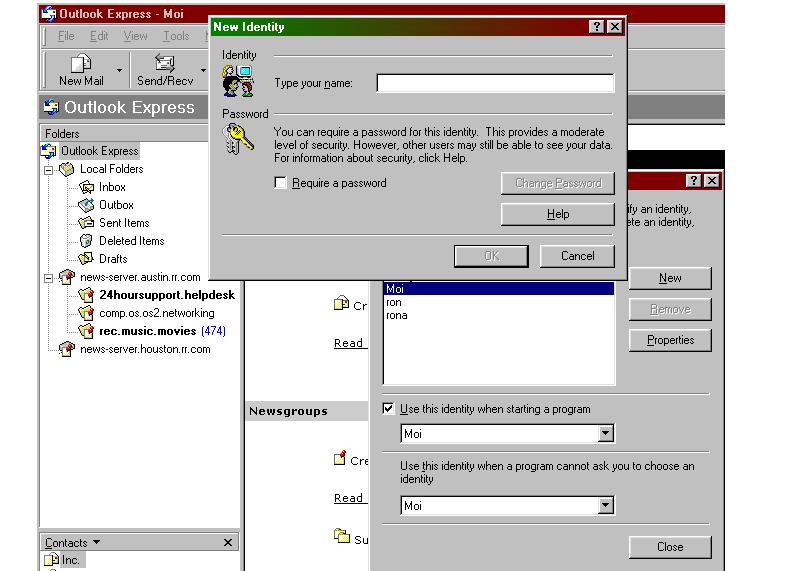
File / Identity / Add New Identity
Type Your Name / Click OK
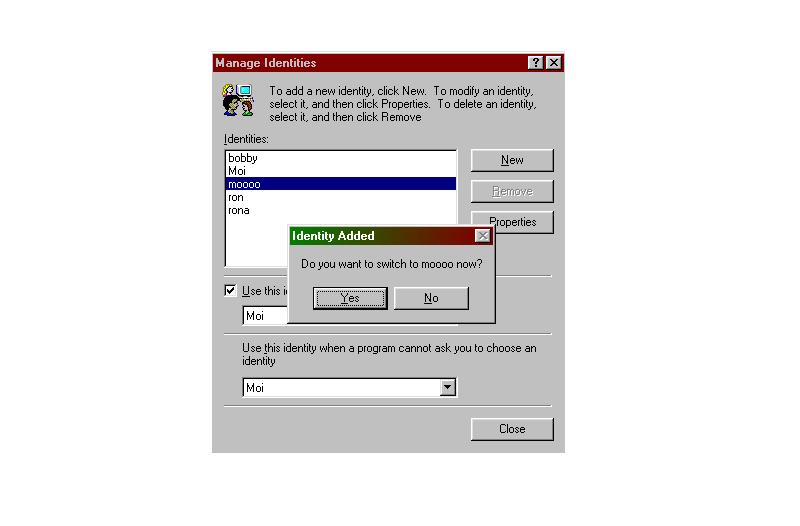
Click on "Yes " which switches you to the newly created identity
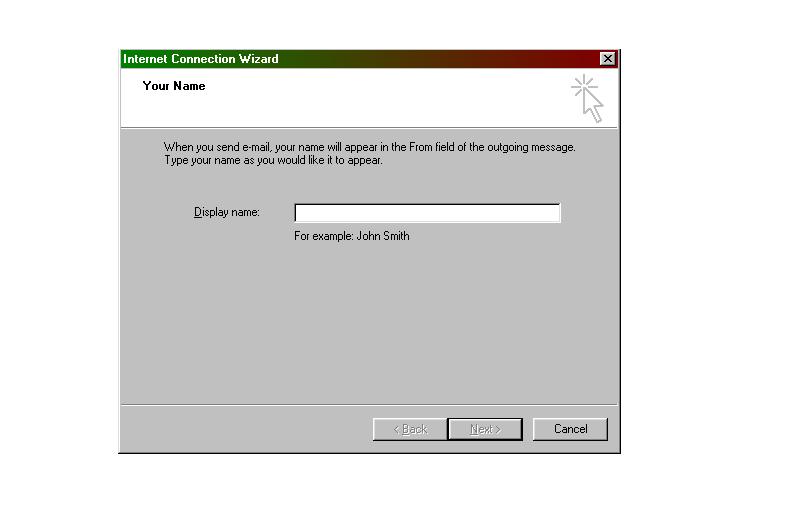
Enter a Display Name which will show up as from you when you mail to others.
Click on Next
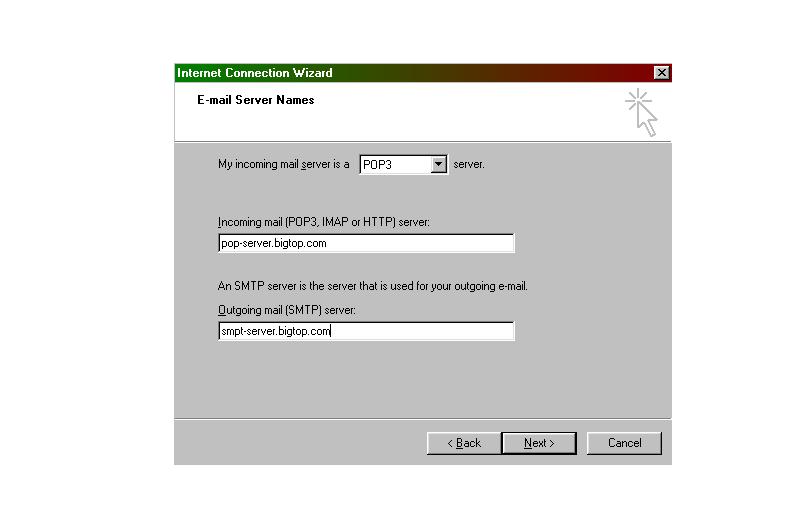
Choose the type of mail server
Enter the incoming "POP" server and outgoing "SMTP" Server Names
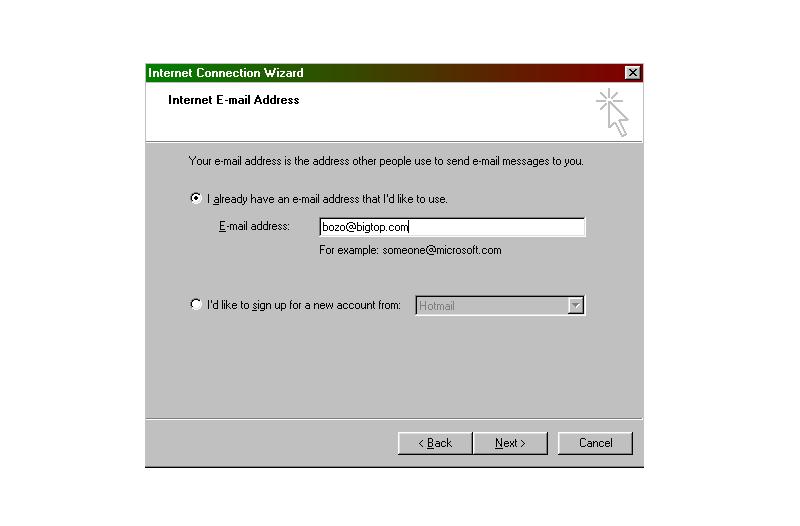
Choose: "I already have an E-Mail Address"
Enter: "Your E-mail address"
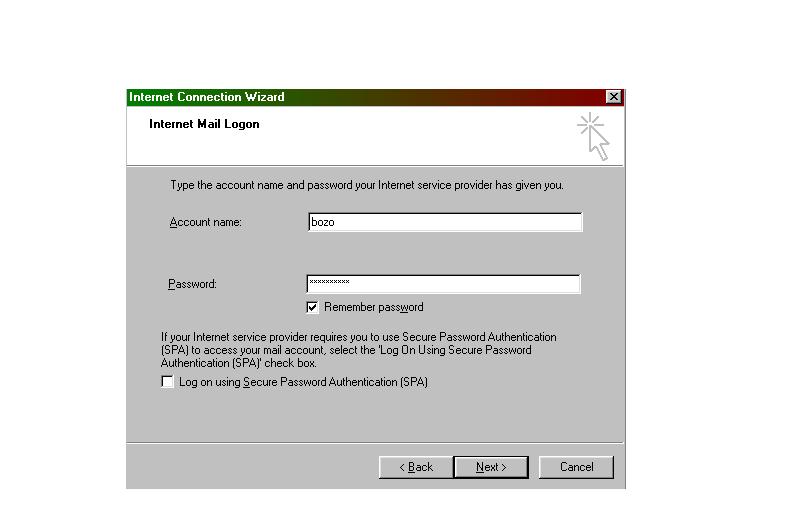
Enter account or (user) name, and enter your password.
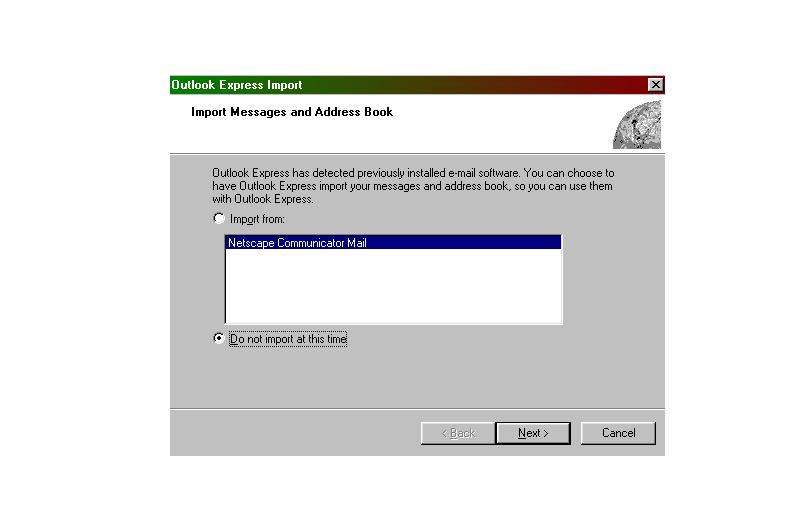
Import From
Choose "Do not import at this time"
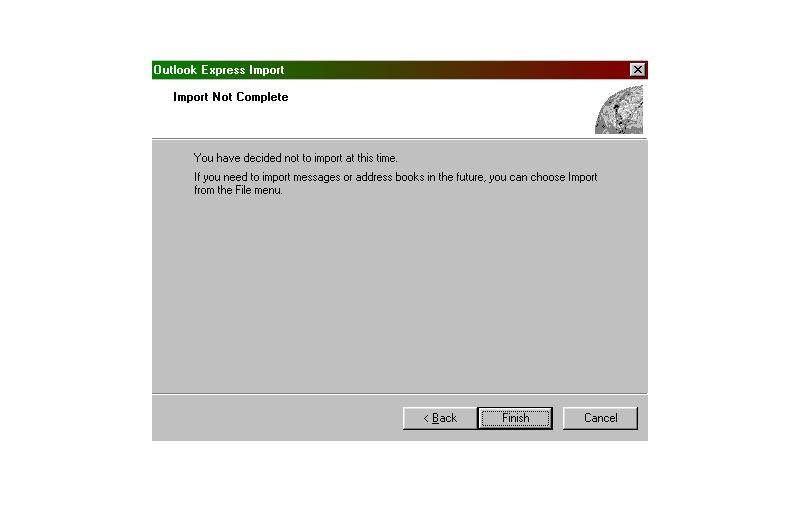
Import Not Complete
Choose "Finish"
Back To Self Install