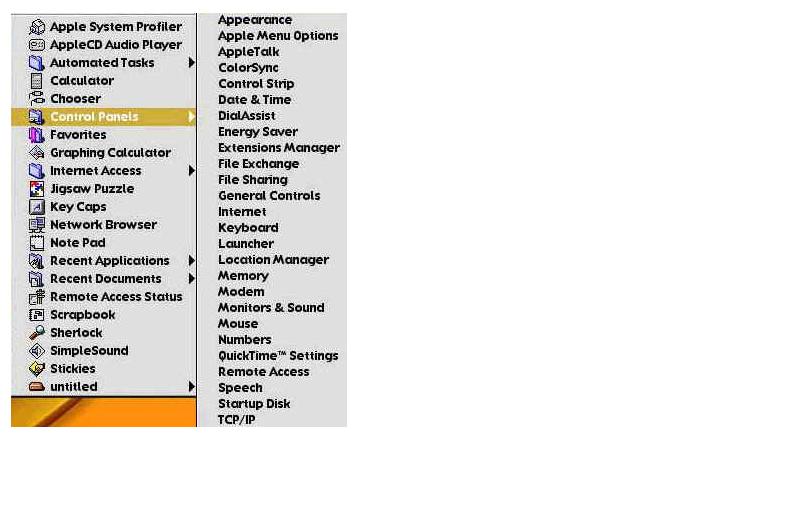
Control Panel
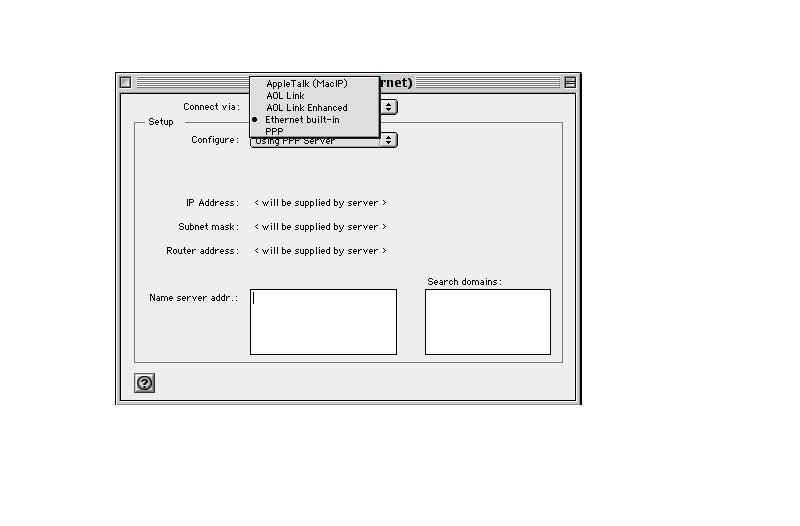
Connect via
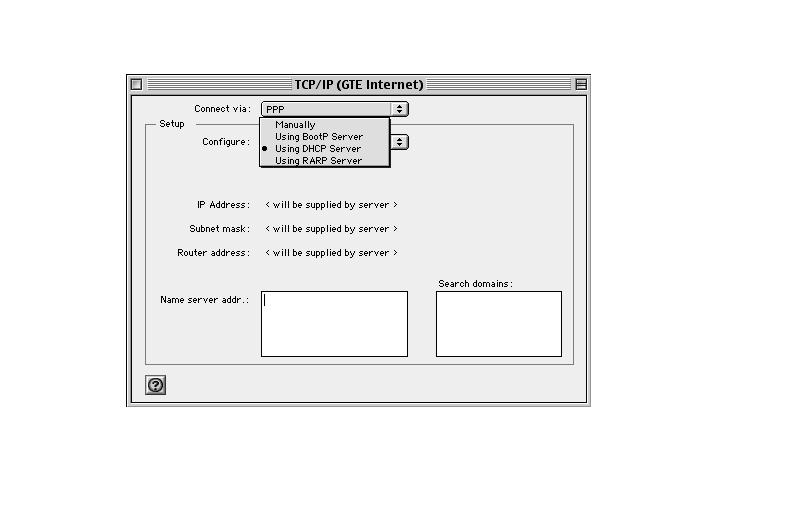
Configure
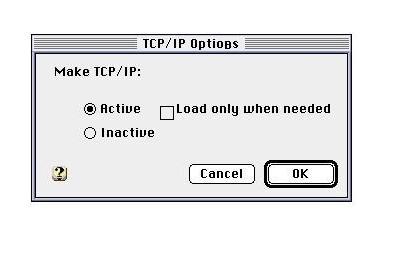
TCP/IP Options
The MacTCP DNR is a file related to the tcp/ip settings.
It is located in the HARD DRIVE --> SYSTEM folder.
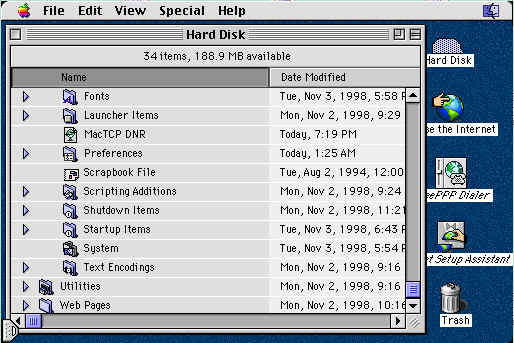
Click once on the MacTCP DNR file.
Drag the file to the TRASH.
Do NOT empty the TRASH.
Note : MacTCP DNR may not be present in versions 8.5 or later
Trash TCP/IP Preferences.
The TCP/IP Preferences file is directly responsible for the settings of TCP/IP.
Once we trash this file we will need to reconfigure the TCP/IP settings.
The file is located in the HARD DRIVE --> SYSTEM FOLDER --> PREFERENCES FOLDER.
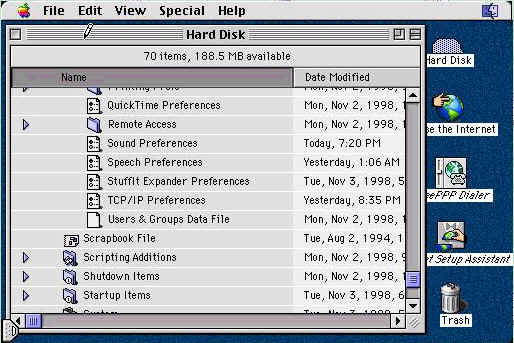
Click once on the TCP/IP Preferences file.
Drag the file to the TRASH.
Do NOT empty the TRASH.
RESTART the MAC.
EMPTY the TRASH.
Back to Self Install
How to rebuild the Desktop
Normally, when you start up the computer, it remembers how the icons for your
files and folders were last displayed, and uses the information to show the
icons you last saw when you turned off the computer. Sometimes, though, parts
of the desktop information can become corrupted. Some of your icons may take on
a "generic" appearance. You can usually make icons look like they're supposed
to by "rebuilding the desktop", or forcing the computer to actually check what
should be on the desktop and how it should be displayed.
In addition to fixing corrupted icons, rebuilding the desktop also helps your
computer keep track of files more efficiently by ensuring that its stored
information is more correct. Because of this, it's a good idea to rebuild the
desktop every month or so.
To rebuild the desktop, hold down the Command and Option keys on the keyboard
while you restart your computer.
The Command or Apple key is located by the space bar
(like Alt on your windows computer )
and the Option key is located next to the Command key
( like the Windows key ).
Hold both keys down until you see a dialog box asking "do you really want to
rebuild the desktop file?".
Click the YES box.
That is it. The computer will do the rest. If you haven't
done this in a while, it will take a few minutes, so be patient. If you don't
do this periodically, the desktop file just keeps bigger and bigger.