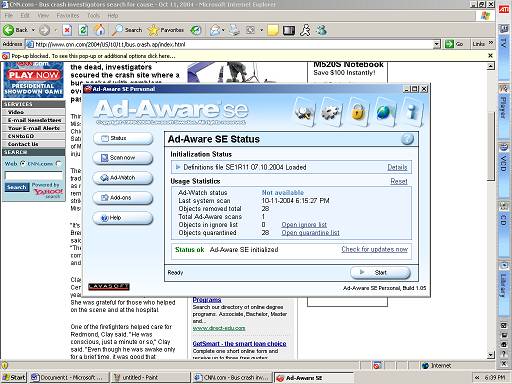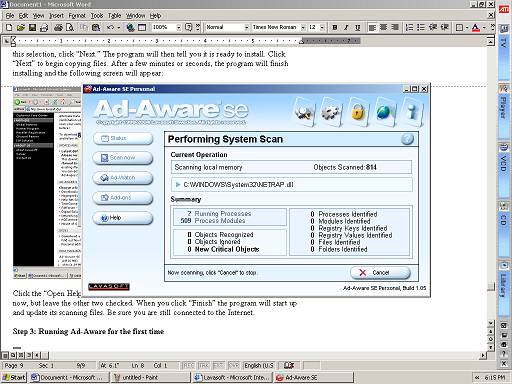
The program will automatically retrieve an update and begin running a smart scan of your computer’s files and registry, keeping count of how many spyware files or entries it found and where it currently is on your computer. The screen should look something like the one below:
This program will generally take 5-30 minutes to run, depending on how fast your computer is, how much spyware there is on your computer, your connection speed, and other system factors. It may appear to hang for a few moments, but this is normal—spyware doesn’t like to be removed and often will attempt to crash the machine when a deletion is attempted. However, Ad-aware is capable of dealing with this and will often resume in a few moments. If nothing changes for a long time; for example, the same file is being scanned for twenty minutes and there is no disk activity, then restart your computer and try again.
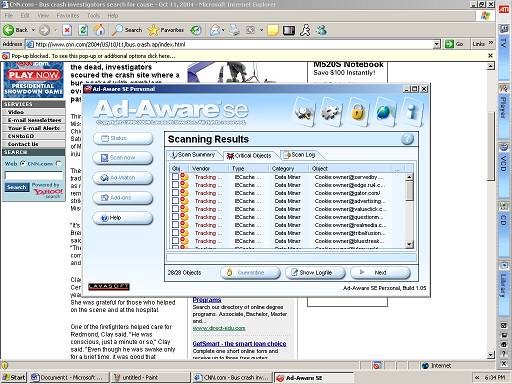
When the program finishes, it will emit a buzzing sound and display a list of everything it found for review. Here, you can see what all was on your computer. On a freshly installed system, nothing should appear, but one that has been connected to the Internet and had things installed on it for an extended period of time will most likely have files that track web page usage and some programs that send ads to the computer.
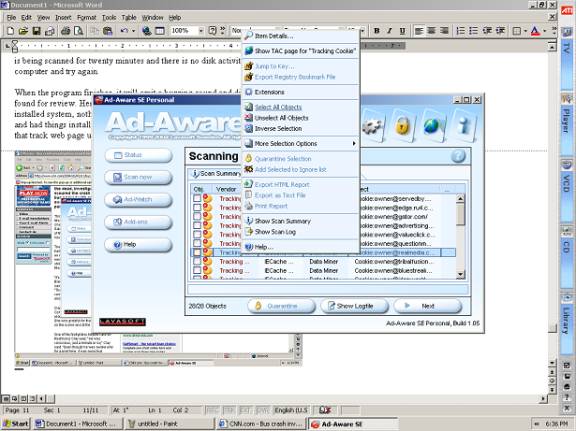
To remove everything, right click on the results list and
bring up a menu. Click on
“Select all objects” to check
everything on the list. Then click “Next.”
The program will then quarantine all spyware items, disabling them from your computer, and will return to the program’s main menu. From here, you can exit the program, run another scan, set options, update the file definitions, and delete quarantined archives. Also, if Ad-Aware deleted something incorrectly, then you can restore it here as well. Consult the program’s help file for specific instructions on how to use the additional features of Ad-Aware.