Caution: If you are running file-sharing software, download managers, shareware or other programs that require spyware to run properly, they may crash or stop functioning when the spyware is removed. This is because these programs rely on the advertisements generated by spyware for income, and removing the spyware removes their income. Examples include NeoNapster, Kazaa, Morpheus, Download Accelerator Plus, GAIN, eZula, or Lycos. If you want to continue using these programs, you are probably stuck with the spyware.
System Requirements:
Processor: Intel Pentium or compatible, 166 MHz or higher
RAM: 24 MB of free memory
Disk Space: 25 MB minimum
Operating System: Windows 98 or higher
Step 1: Download Ad Aware Personal SE.
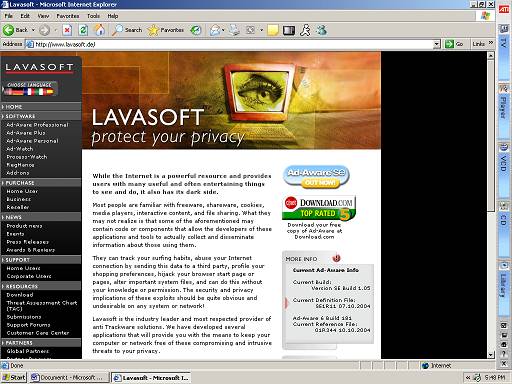
Open up your browser (Internet Explorer, Netscape Navigator, or Mozilla) and log onto http://www.lavasoft.de/
Click on Ad-Aware Personal in the sidebar on the left.
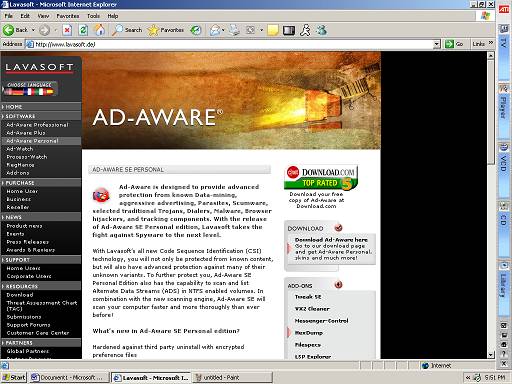
Click on “Download Ad-Aware Here” on the right side of the page, just under the Download.com advertisement.
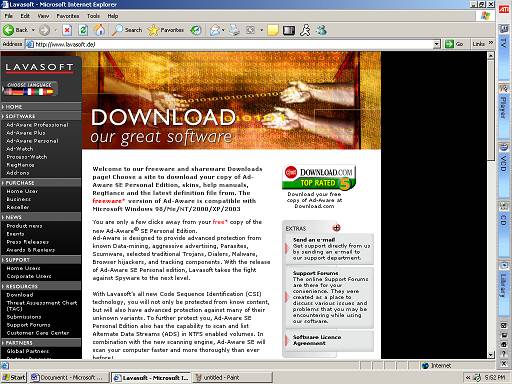
Scroll down to the portion of the page where the download links are listed, like below.
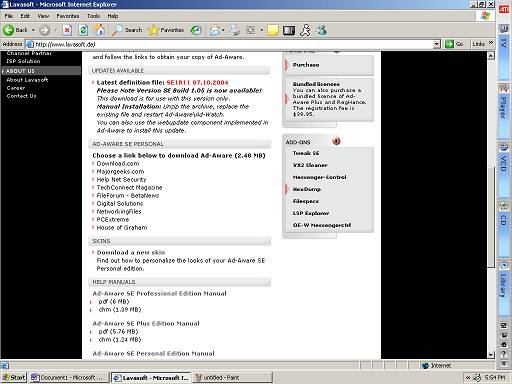
Choose a download site. This example will use Majorgeeks.com, the first one. If it doesn’t work, click “Back” on the toolbar and try another link. A new page should open with the download page showing.
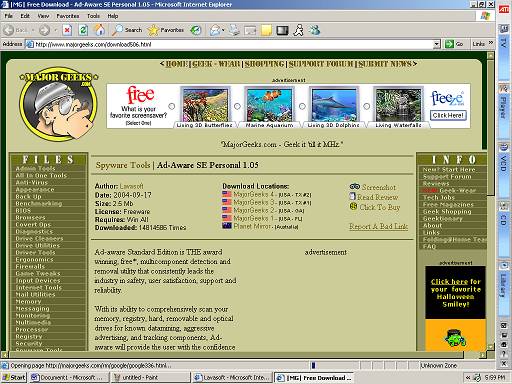
Click “Major Geeks 1.” A redirection page will load, and then the download will begin.
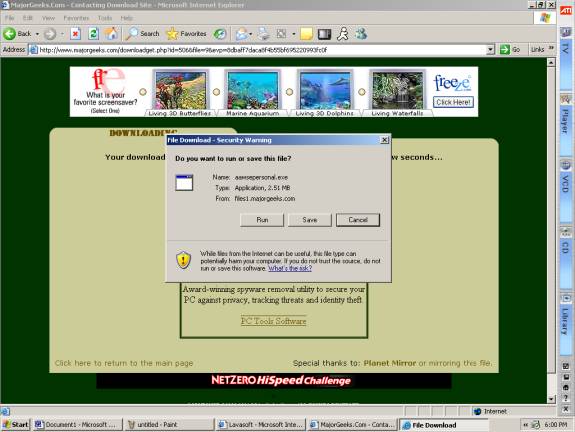
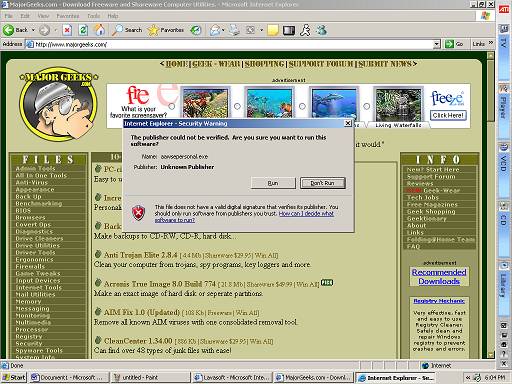
Click “Run” when the security warning appears. If you have Windows XP Service Pack 2, an information toolbar may prevent your computer from downloading the file. To fix this, simply right click the information bar and click “Allow this file to download.” The file should now be downloading. If it times out, try a different Major Geeks link or a different mirror on Lavasoft.de.
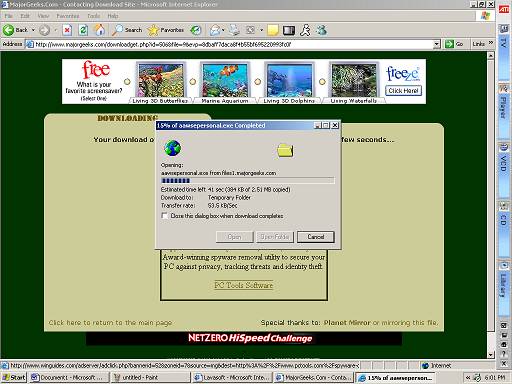
When the download completes, a security warning may or may not appear, depending on which version of Windows you have installed. Click “Run” if it does, like below. The install should begin.