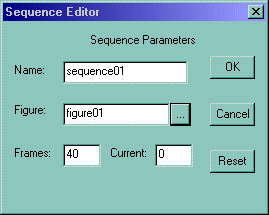
Now lets animate the claw. Open up the Sequence editor and do Settings->Sequence and a window should pop up like Figure 19. click on the button with 3 periods in it "..." and pick the figure we just created.
Figure 19
Now we can do this now, or we could have done it in the figure editor, but here's fine. Click on each bone, including the root bone and set each bone value. Check off the "free" column for the x y and z values. For each axis, do -90 0 90. With all the bones selected, the skeleton should look like Figure 20
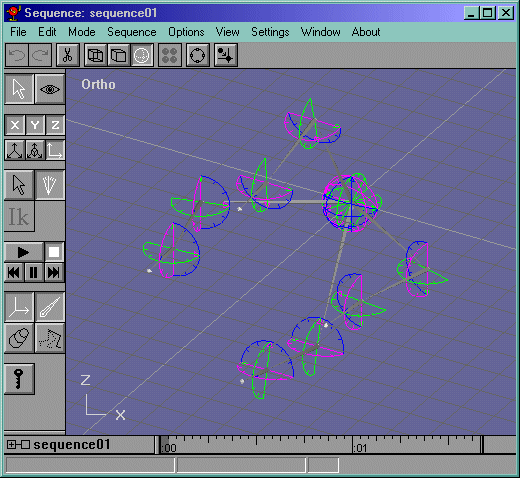
Now start animating it! I keyframed the bones every 5 frames in a grasping motion. You shouldn't have a problem with the animation. Mine did, but one problem was with the view. To zoom out hit Ctrl+R to enter into "Arc Rotate" mode, then, while holidng ALT, click on the right mouse button inside the circle and drag outward and the view should zoom out. Figure 21.
Figure 21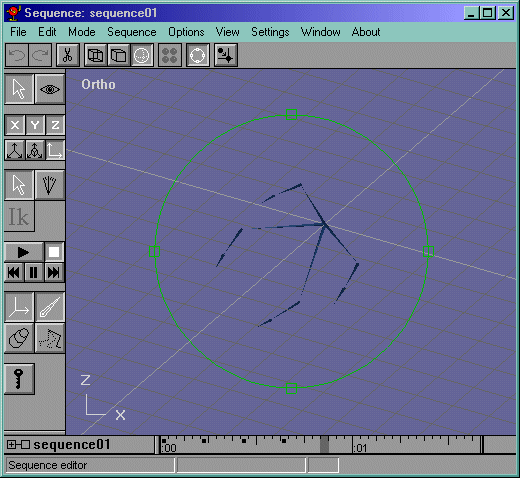
Now for the animation problem. My model's bone influence for one of the bones was too short, and ended up not influencing a couple of vertices, like circled in green in Figure 22.
Figure 22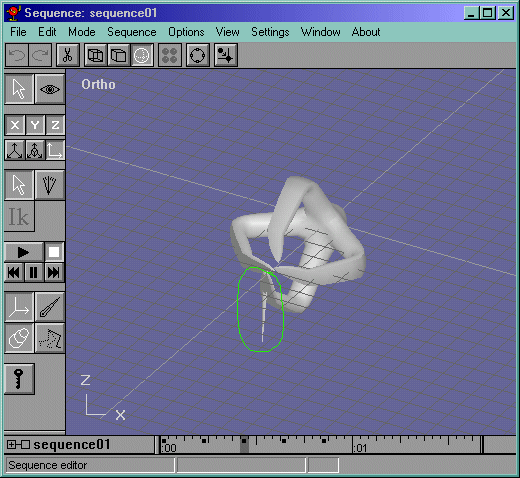
To fix this, go back to the figure mode and edit the bone influences of the object. Where the influence "Cap" is, is a red vertex that allows the manipulation of that influence. This "vertex" appears circled in green in Figure 23. Click on it and drag it out so that it covers more of an area than it did before. It worked for me, so I was done.
Figure 23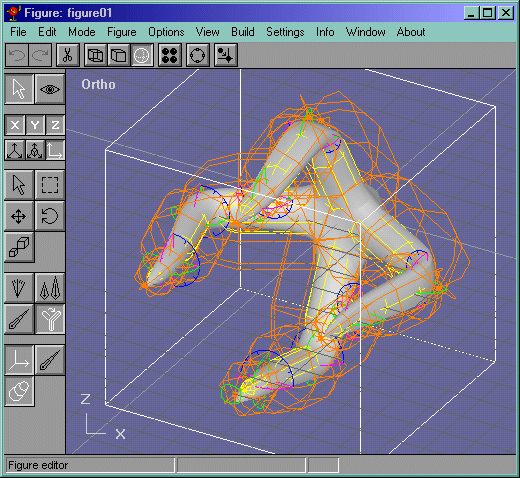
To view a test animation of the claw, click here(177k). This should get you started at least with multi-boned meshes in anim8or. Tell me what you think about it on my Forum. I hope you got something from this tutorial, and thanks for visiting my site!