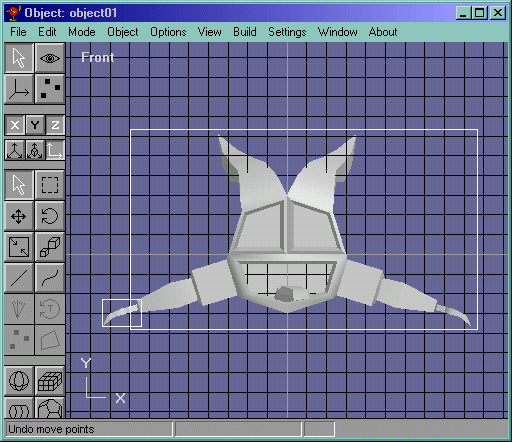
Goto the Object->"object2" (where object2 is the hand object) and select the hand. Copy it and go back to the body part of the character. Paste it, rotate it, scale it, and edit the hand until it matches the devil guy. No move the hand in place on the left side and draw in the missing edges that connect the arm and the hand. It should look like Figure 27.
Figure 27
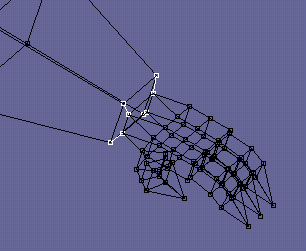
Goto object edit mode and select both of the objects and do a Build->Join Solids. Now go back to point edit mode and select that wrist area(including the arm and hand) and do a Edit->Fill Holes. 4 faces should be filled. Now either do the mirroring technique for the whole arm, or just mirror the hand. Either way, join the solids like in Figure 28.
Figure 28