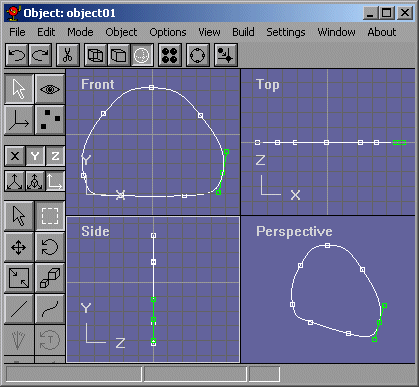
Lets start by making a basic body shape. It should look like Figure 6.
Figure 6
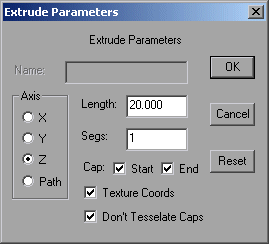
Now, with the Arrow, select the spline and do Build->Extrude. a dialog box will pop up like in Figure 7. BE SURE to check off all the things that are checked off in Figure 7.
Figure 7
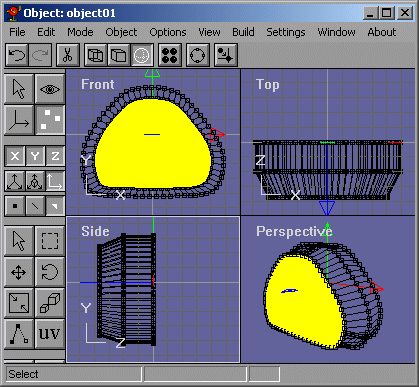
Now in the Side view, select the face on the left and extrude and scale it so that it looks like Figure 8.
Figure 8
Now select that face's vertices and move them down. It might help if you locked the x axis  . Now keep extruding and scaling until you have something like Figure 9.
Figure 9
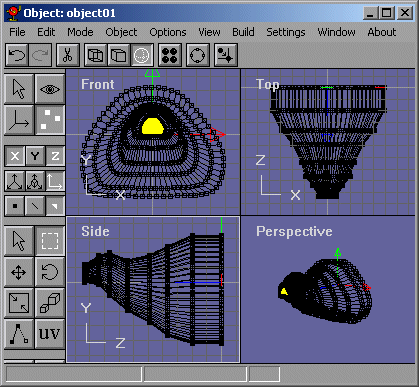
Our slug now looks likeFigure 10.
Figure 10
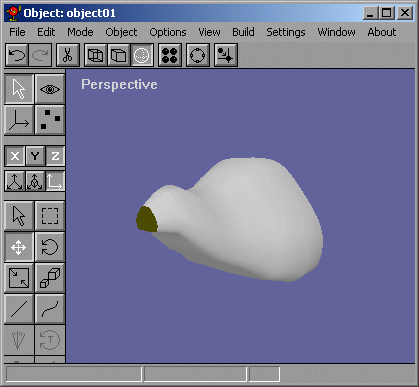
Pretty nice huh? There is one problem though,....Animating it will cause the slug to look choppy and polygonal because the lack of segments. Darn, we are going to have to remodel it arent we? NOPE!! I'll show you my non-subdivision smoothing technique in the next page.