


After extracting the all clips we want from various DVD, we have following list of files in a directory.
1.vob
2.vob
3.vob
...all the way up to 22.vob
The DVD spec only allow you a maximum of 10 VOBs, so we will need to use VobEdit to fuse our clips together. To do this you need to rename the files in the directory the following way:
vts_01_001.vob
vts_01_002.vob
vts_01_003.vob
...all the way up to vts_01_022.vob
Next fire up VobEdit to join your VOBs. Here are the steps:
- click the "open" button in the lower left corner and select "vts_01_001.vob" in the directory you just did your renaming in.
- go to the upper left corner and select "Edit" then select "Join clips" from the menu that will pop up.
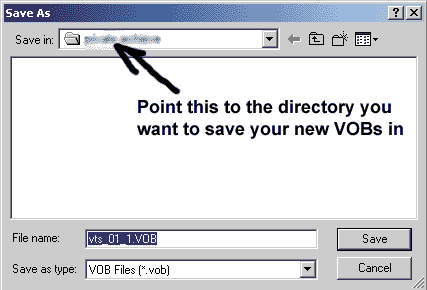
- When the "Save as" dialog pops up direct it to the directory
you want to save your combined VOBs in.
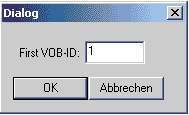
- When the "First VOB-ID" dilog box pops up, keep the value
of "1" in there and press "Ok"
- VobEdit will now stich together all your VOBs and put them in the directory you just selected.
If you are still confused, a much better tutorial on how to do this can
be found on the Derrow
IfoEdit site