These step by step tutorials introduce you to some of the
most commonly used Xanga features. The instructions show you how
to read ALL the entries, leave comment and subscribe the Xanga.
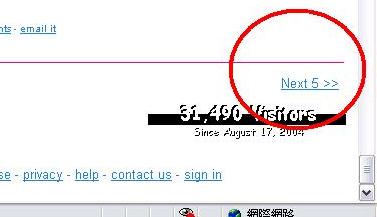
A: Scroll down --> Click '' Next 5 >>'' as shown
in the following diagram.
2] To subscribe dayowong @ xanga...
A: First, you must be a member or join as a
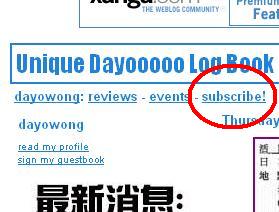
member at the time you subscribe. Then click 'subscribe' at the top left hand
corner of dayowong @ xanga, as shown in the following diagram.
3] To leave comment...
A: Again, you need to be a member of Xanga to
leave any comment; or you can simply send your enquiries to our mailbox:
[email protected]
Unique Dayo is an unofficial fan site - it is here to be a resource for Dayo
Wong fans, but not to infringe upon any copyrights or break any laws. E-mail us if you have any questions or concerns.