|
In this lesson we will look at
some of the different things you can do to text, The First thing you will need
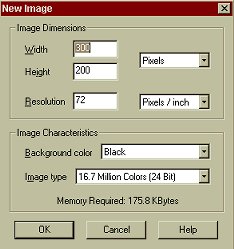
to do is open PSP6. Now we will create a new image. Now lets add a
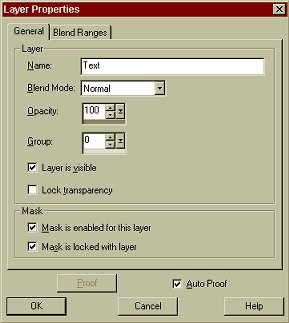
layer for our text. You do not have to add a new layer, but if you decide
you want to change the background color of your image it makes it easier
to do so if you have used layers.
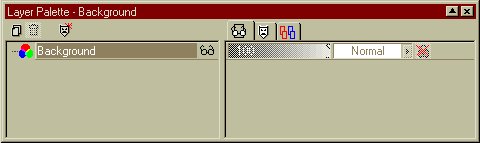
If you don't see the layers palette on your screen, click
on this icon: Click on the little icon on the left of the palette that
looks like this:
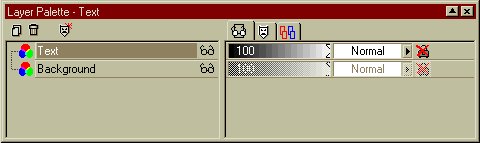
Click on OK. Your Layer Palette should now look like this:
Congratulations! You have just learnt how to add a layer. Now for the text. This Page © Area52 University 2003 |