| . |
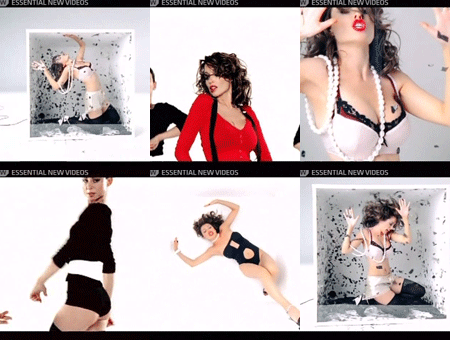
| Jazz up your desktop Dannii style with these fantastic Dannii wallpapers. To use an image as your wallpaper follow these steps: Windows 95/98/ME/NT/2000/XP 1) Click the image and size you want to download. 2) When it has loaded into the browser window, right click it and choose "Set as wallpaper". 3) ...or you can simply save the image to your computer and set it as your wallpaper later. Mac OS 1) Save the wallpaper image above to your desktop or hard drive. 2) From the Apple menu, select "Control Panel" then "Desktop Pictures". 3) Drag the image from your desktop/hard drive to the desktop pictures preview window. 4) Select "Tile on Screen" from the "Position" pop-up menu then click "Set Desktop". |
 |
 |
 |
 |
 |
 |
 |
 |
 |
 |
 |
 |
|
| . |
| ---------------------------------------------------------------------------------------------------------------------------------------------- |
 |
 |
 |
 |
 |
 |
 |
 |
| Screen sizes:
1024x768 800x600 Submitted by Success Websites |
| Screen sizes:
1024x768 800x600 Submitted by Success Websites |
| Screen sizes:
1024x768 800x600 Submitted by Success Websites |
| Screen sizes:
1024x768 800x600 Submitted by Success Websites |
| Screen sizes:
1024x768 800x600 Submitted by Success Websites |
| Screen sizes:
1024x768 800x600 Submitted by Success Websites |

| Screen sizes:
1024x768 800x600 Submitted by Success Websites |
| Screen sizes:
1024x768 800x600 Submitted by Success Websites |
| Screen sizes:
1024x768 800x600 Submitted by Success Websites |

| Screen sizes:
1024x768 800x600 Submitted by Success Websites |

| DO YOU HAVE A WALLPAPER? Do you want to flaunt your dannii style with everyone? why not submit a wallpaper to show to the world. To do so, just create them in one of the two sizes shown above. Once u have created your masterpiece send them to [email protected]. Dont forget to send your name and we look forward to viewing your work. |
| ---------------------------------------------------------------------------------------------------------------------------------------------- |
 |
 |