
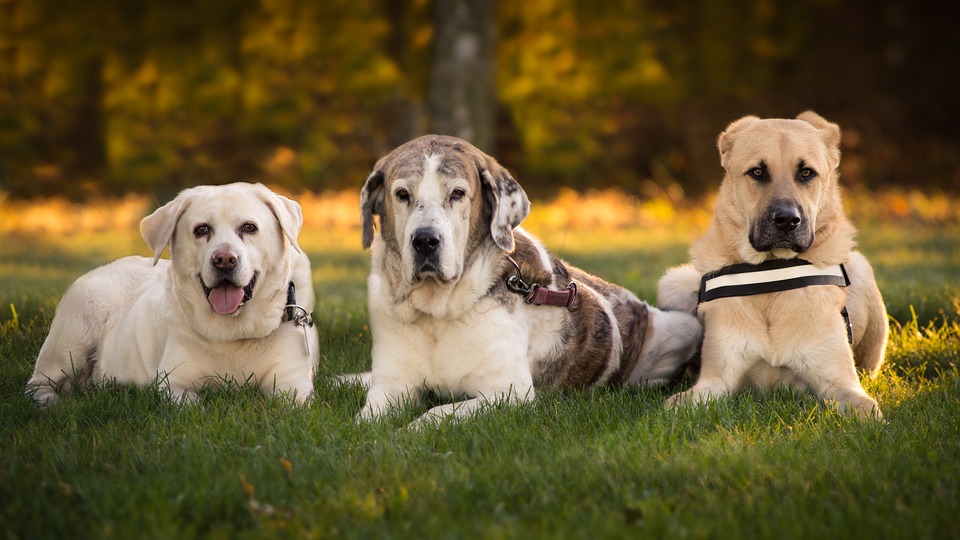
The purpose for this website was to express the fun, happy environment that Drake's Sunnyside Dogs services bring. It was to give the end user the idea of a comfortable, safe, and enjoyable feel for their beloved pets. In order to give this feeling, I took some pictures of puppies and dogs from various ages and created an automatic slideshow on the home page to show the end user that many breeds and ages are welcome. There is also the fact that all the dogs are either in a relaxed position or being playful. This conveys the idea of the environment that the dogs will be in. I also added some pictures of the facility and some fun pictures to give the page a feel of an upbeat, inviting place for their pets to stay. These pictures vary depending on the services that the end user is looking for.
The main standard design of these pages have the same color scheme. The color scheme is to be a bright yellowish gold as the primary color, and then white and black for the secondary colors. The reasoning for this is because bright colors tend to be considered happier and uplifting compared to the cold color set. I used white and black as the secondary colors so that it would be easier for the end user to see. As the user hovers over a link, it will turn a light blue, which again gives that bright color feel. This color also complements the goldish hue while still allowing the user to see what they are hovering over. I used two different fonts within the content of the pages which the headers were Monotype Corsiva and the main text as Lucida Calligraphy. These fonts still give a similar font design to that of the logo of the company found in the top-right hand corner of each page. It is also not too complex for the user to understand the content of each page. This also gives the feel of a professional business on top of a bright website. Every page has a "Back to the Top" link at the bottom so it is easier for the user to just get to the top of the page without all the scrolling. I created a navigation bar along the top for all the pages so the user can easily navigate to the content that they would like to view. I wanted to keep the looks of the pages relatively simple and not too cluttered.

The home page has the slideshow as described in the first paragraph above. I also added announcements along the bottom with the link at the top to be red so the user cannot miss it as they navigate through. This link will bring the user down to the announcements at the bottom of the Home page.
The Doggy Daycare page and the Boarding page are setup almost identically. The difference between the two are the pictures and the positioning of those pictures. They start with a summary of the services, the prerequisites for the services, pick-up/drop-off times, and then the pricing for those particular services.
The Contact Us page starts with a comment forum so that the user can input their basic information in to have a digital message sent to the staff. This provides convenience for the user if they do not have time to call or for any other reasons. This information will also help the staff to know who they are talking to, where to send the information, and the content of the message. There is the option for the user to add in their phone number, but is not required. The daycare/boarding contact information is in the bottom left corner in case the user is looking for any of the company's information for reference.
The one thing that I would like to figure out is how to have the slideshow fade in and out between pictures. There is also the fact that the "Contact Us" link in the navigation bar has a period at the beginning even though there is not one within my code. So I am confused as to why it is showing up unless it is because it is the last cell in that table. I am fairly happy with the website as a whole and am not sure as to what else I could input into the website to make it better. I would love feedback though!