

1.Nero
2.Winmx
3 Mcafee
4 Norton
By Right Clicking The Desktop Icon And Selecting Run As Administrator
This User Account Control setting is new to Windows Vista. It is enabled by default and monitors your computer for any changes that are about to be made and intervenes, preventing any program from running without your authorisation.
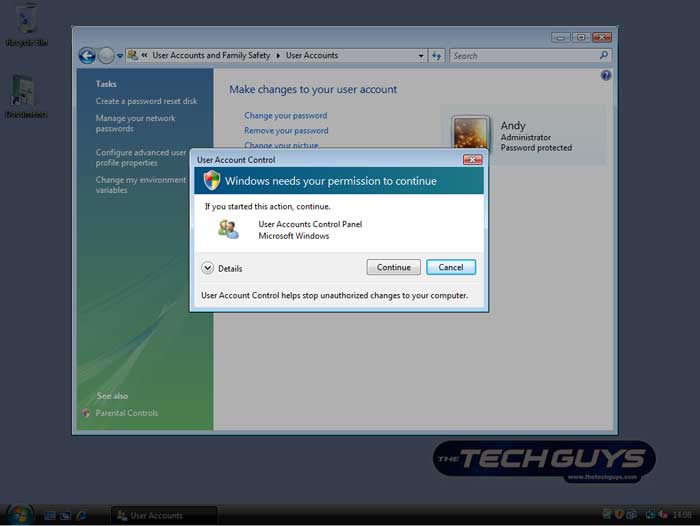
When it is active you will have to grant access to every program that you run. This ensures that no software is installed on your computer without your knowledge.
Some common messages you will receive when opening a program are:
Windows needs your permission to continue
A program needs your permission to continue (A non-Windows program but with a digital signature)
An unidentified program wants access to your computer (A non-Windows program without a digital signature)
This program has been blocked (Only administrator accounts can run these programs)
Turning OFF the UAC
The User Account Control is turned on by default in Windows Vista. It�s advisable that you leave it on to ensure that your PC is kept secure. However, should you need to turn it off then just follow these few steps:
To deactivate the UAC go to: Start > Control Panel > User Accounts and Family Safety > User Accounts > Turn User Account Control on or off
