Tool Reference
Click on a tool to get its description!
![]()
|
Pattern Stamp
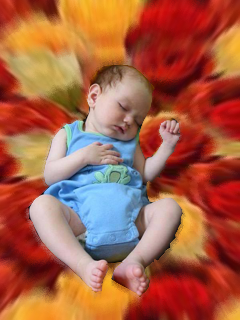
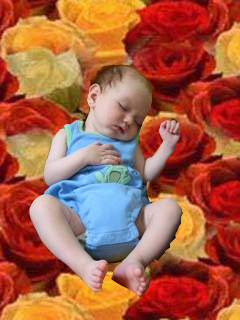
In this activity we will be using the pattern stamp to add a flower background to a picture of a baby.
Sample Output
Steps
- Open Photoshop and the picture of the baby.

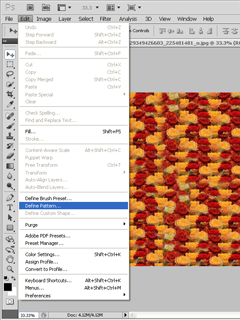
- Open the picture of the flowers, and select Edit > Define Pattern....
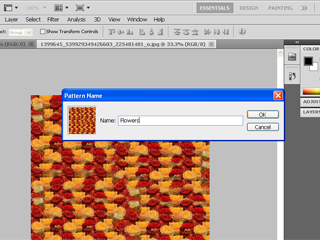
- Rename the pattern and press OK.
- Select the baby with the selection tool of your choice.
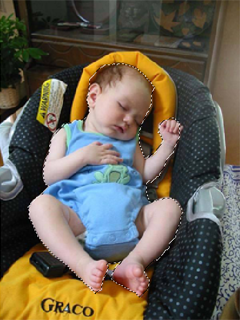
- Invert the selection to select the background with Ctrl+Shift+I.
- Using the Pattern Stamp, select the flower pattern you just made in the options bar.
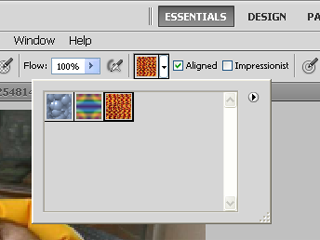
- Stamp over the background of the baby by dragging over it.
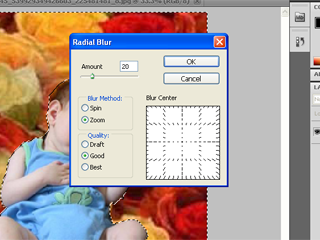
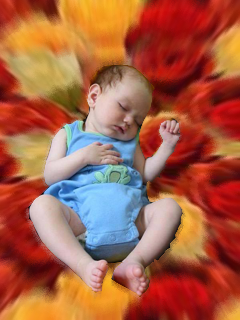
- Still selecting the background, go to Filter > Blur > Radial Blur. Set it to Zoom and an amount of your choosing.
- Click OK. You are done!
|








