Tool Reference
Click on a tool to get its description!
![]()
|
Exercises
After completing each of the tutorials, find the corresponding exercise below and get to work! These exercises are suitable continuations to the lessons you have learned with each tutorial. Try doing your best to complete them. If you need help, search the internet!
Introduction to Photoshop
Exercise: You can see some palettes already out. How can you make more palettes visible?
Tip: Try tinkering with a certain menu from the Menu Bar.
Vegeman
Exercise: How can you him smile? How about frown?
Tip: Try right-clicking while transforming the mouth.
Knight
Exercise: Our tutorial is almost complete! The only thing left is the base of the sword. How can you place that?
Tip: Try using a selection tool to select from the arm in the shape of the base of the sword.
Kitchen
Exercise: Learn more about Layer Effects. How can you make the shadow of 'Kitchen World' further from the layer itself? What are the other layer effects you can try?
Tip: Try researching on the internet about Layer Effects and Drop Shadows.
Healing Brush
Exercise: Try adding some lipstick.
Tip: Research about the Brush Tool. How can you use the Brush Tool here?
Patch
Exercise: The gray hair is quite out-of-image. Make it black.
Tip: You'll want to do something after selecting the hair. Try researching about Hue/Saturation.
Clone Stamp
Exercise: Using the same technique you just learned, try coloring in the picture below.

Pattern Stamp
Exercise: How can you blur the baby?
Tip: Try researching about the different kinds of Filters.
Duck
Exercise: Let's try more coloring. This time, try coloring the balloons with a gradient.
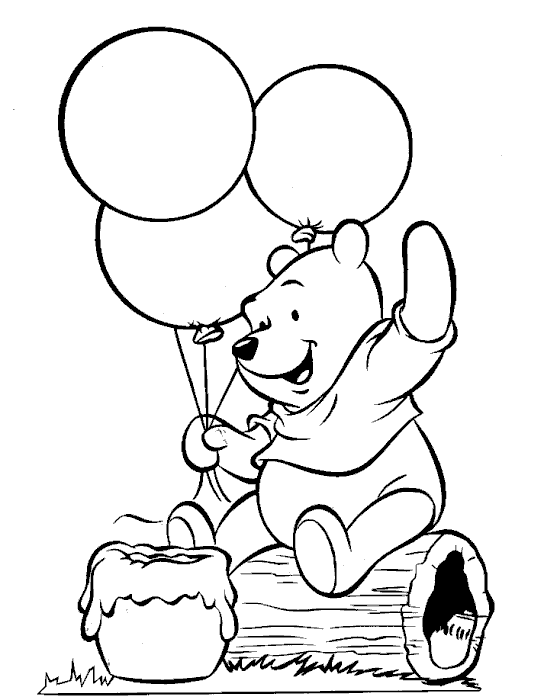
Tip: You'll have to do something to make sure the gradient doesn't affect the entire image. How can you place the gradient on only the balloon?
Text Effects
Exercise: Research about more text effects you can do on the internet. Try using them on your name.
Tip: A good website to search for these would be Photoshop Essentials. There are many other websites though, so choose one you like!
|








