Tool Reference
Click on a tool to get its description!
![]()
|
Introduction to Photoshop
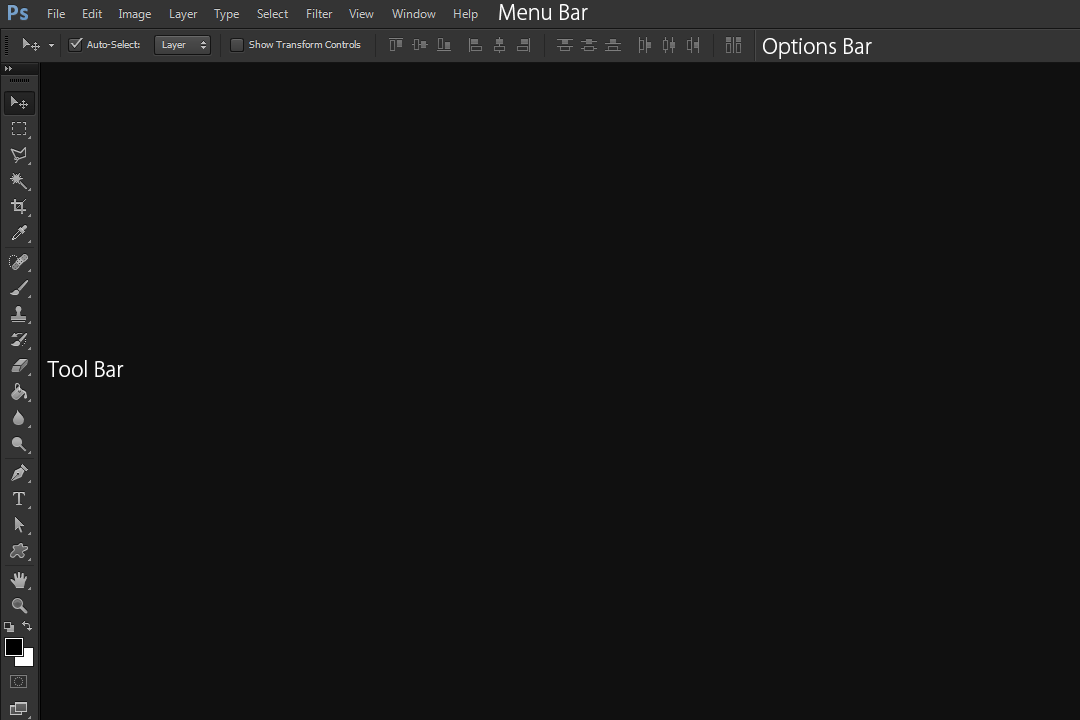
- The topmost portion is the Menu Bar. This bar is where File, Edit, Image, etc. can be located. This is where you can find the Filters menu.
- The bar below the Menu Bar is the Option Bar. This is where options for the current tool will appear.
- The rightmost bar is the Tool Box. This is where you can find all your tools.
- The large center portion is where your Canvas will be when you make a new document. This is where the image you are working on will go.
- Not seen in the picture but often appearing to the right are the Palettes. The most important pallete is the Layer Palette, where you can see all your layers.
|








