|
 |
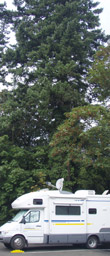 
What is a Datastorm?
 A mobile two-way internet systems that fits on top of our RV. The tracking mechanism is built by Motosat A mobile two-way internet systems that fits on top of our RV. The tracking mechanism is built by Motosat and uses Hughesnet satellites. and uses Hughesnet satellites.
Why do You Need One?
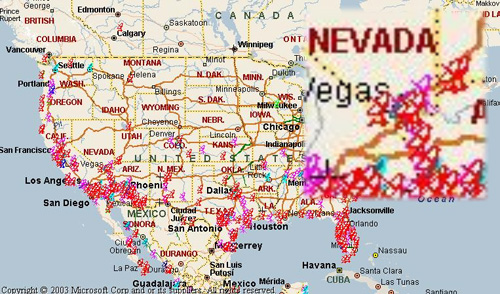
Well, most people do not need a Datastorm to get on-line. Today, there are a number of ways to get online (C) see Geeks On Tour) while on the road- campground Wi-Fi, or cell phone as a modem. Our problem is that we live and work at location that do not have Wi-Fi or cell phone coverage. Take a look at the map below, it has actual locations of people using their Datastorms. You can see that they are mostly in rural areas, or Out West.
Where to Find Us:
Datastorm Users group has a webpage that lets you find our current location. Yep. Find pretty near were we are at. Here is how it works, go map.datastormusers.com and scroll down until you find "ID# 5999 Chris and Mae", and click the link. If your really snazzy, you can even use Google Earth maps.
How do you Find a Satellite?
Here are four different ways to find a satellite.
|
|
|
|
|
1) -------------
Press "Search" on the D3 controller
My directions to the D3
"Search" button
|
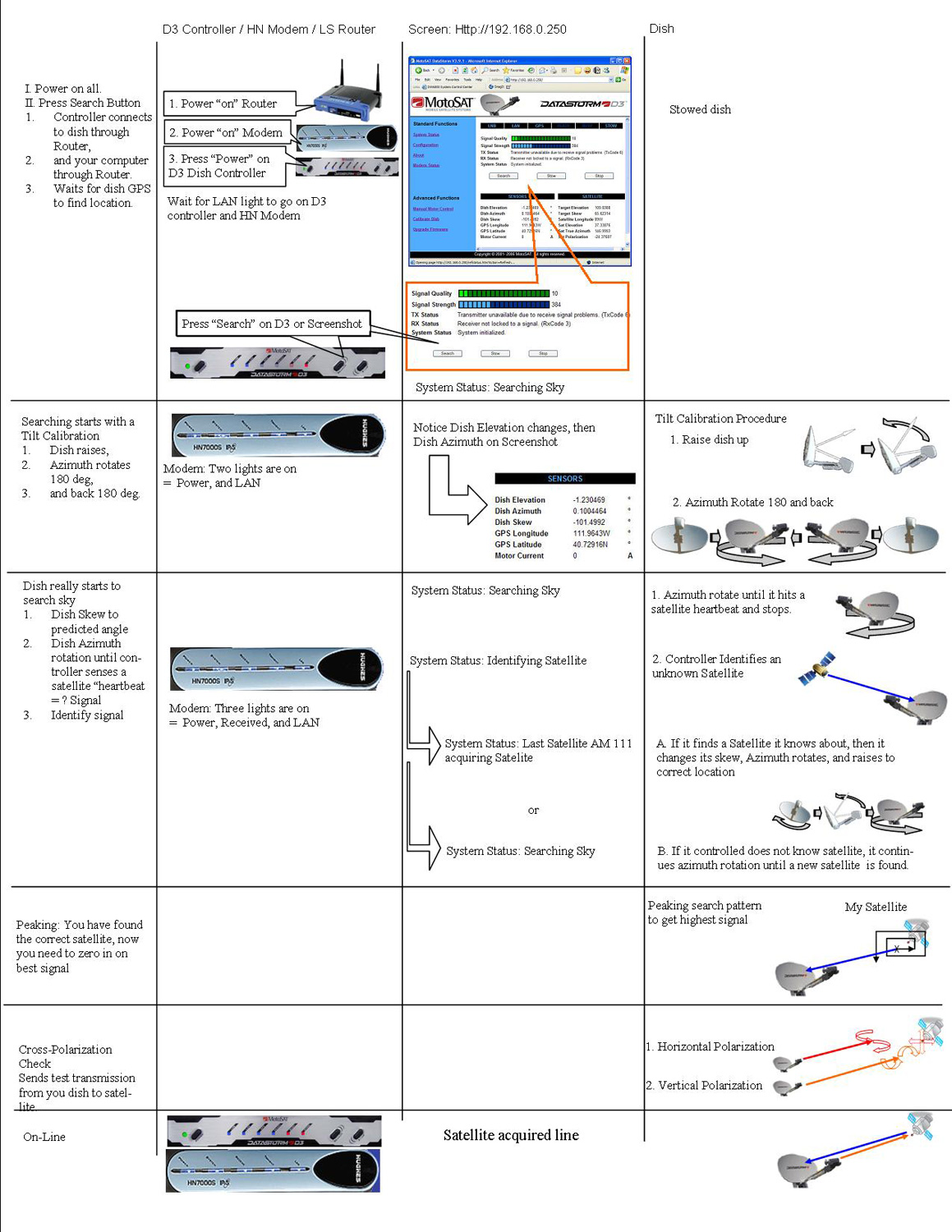
This the easiest way to find a satellite. Just press the "Search" button on the Datastorm's D3 controller, and it does the rest.
When you press the "Search" button on the Datastorm's D3 Controller what is happening?
I made a diagram that shows...
-
what the controller-modem-router lights doing,
-
what the web interface is doing
-
and movements of the dish on top of my rig.
All on one easy to print out sheet! Why, I say, Motosat should make one of these sheet!
|
|
|
2) -------------
"LookAngles" for your Palm
|
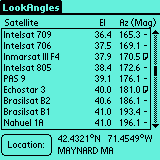
The problem with using the "Search" button way of acquiring a satellite, is that if your in a campground, or on a city streets where there are obstructions like TREES, or BUILDINGS, or POWER LINES, the dish will search and search and search for twenty minutes before giving up. What I needed is a quick way I could step outside and visually see if the Datastorm had a line-of-sight to the satellite.
LookAngles is a small program for Palm OS. It is truly simple to use. Just plug in your zip code, or city name, or Lat/Long and it will calculate both "Dish Elevation, and Azimuth". That's all your really need to spot your satellite from your current location. Big Fat Tail makes the software.
|
|
|
3) -------------
"Look Angle Calculator" by Don Bradner
|
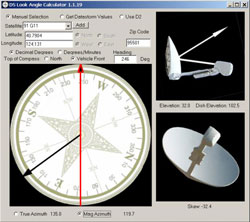
If you do not have a Palm, but do have a computer (Dah) then use a great shareware program by Don Bradner of Datastorm Users Group fame. It is called a '"Look Angle Calculator" and it is fun and intuitive to use.
The only drawback is that you have to boot up a computer to use it, so it not as fast as "LookAngles" on a Palm OS.
|
|
|
4) -------------
"Look Angle Cheat Sheet" for my 89W Satellite
|
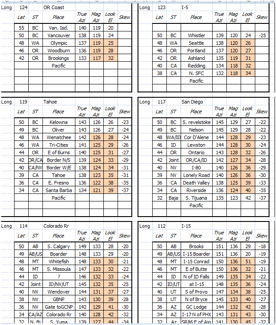
Well what do you do if you do not have a Palm OS handheld device or do not want to start you computer just to find out if you satellite is visible?
I made a cheat-sheet for my 89W satellite that will get me looking in the correct direction. Here are the "look angles" for Wester US and Canada in one sheet.
|
|
Helpful Links:
|
|