Fun With Layers

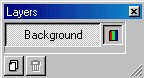
Layers are a terrific new addition to Paint Shop Pro 5.0.
They're even more functional in PSP6 and 7.
I've found a lot of uses for them.
Layers can be used to make many buttons that are exactly the same except for the wording on them.
I made each of these using the same background (for the button), and using different letters in each layer.

Blank Cats Genealoyg Graphics Graphics by McKenzie

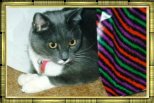
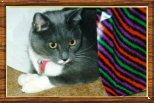
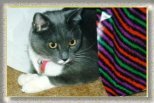
Layers can be used to experiment with different frames for your favorite photographs.
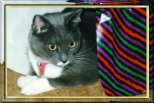
1st Frame 2nd Frame 3rd Frame 4th Frame

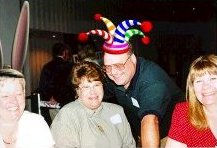
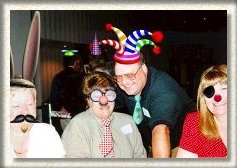
One of my favorite uses is to put silly effects into perfectly normal photographs.
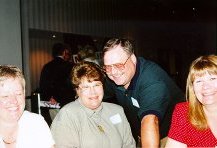
Start with a normal photograph like this one. It will have just one layer, the background.

Normal 1 Layer

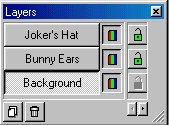
Next, let's add a hat (or two).

2 Hats 2 Layers

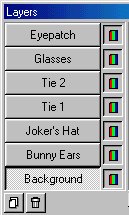
Now maybe a couple of ties and some eyewear.
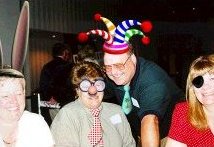
Eyewear and Ties 7 Layers

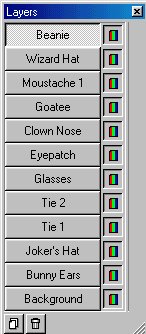
And then - just a couple of finishing touches . . .
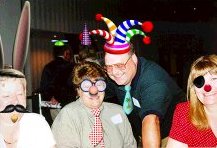
Etc. 12 Layers

And a frame to finish it.

Finished

Many thanks to the fine folks in the photo.

Bar

This Web Site designed and maintained by
J. L. McKenzie ([email protected])
URL http://www.geocities.com/Heartland/Pointe/4808/
Last Updated: October 11, 2000

COPYRIGHT � 1998-2000 J. L. McKenzie
Site Map

Bar

Get Paint Shop Pro! Spacer Graffics by McKenzie Spacer Paint Shop Pro User's Group

The author is a member of
The HTML Writers Guild

McKenzie's Mint

When someone does something good, Applaud!
You will make two people happy.
--- Samuel Goldwyn

Click Here to escape someone else's frames.

sometimes functional counter
Since October 9, 1998

GeoCities

Site Map


Hosted by www.Geocities.ws

1