Download
Directions
After downloading, In order for SERIES to run properly on MatLab, please do this:
Copy all files (*.m and *.exe) in the suddirectory SERIES (create it).
C:\MATLAB\TOOLBOX\SERIES
Changing C: for D: or E:, wherever the hard drive letter is.
In addition, please update the directorio 1 variable, this
can be found in the series.m file, this variable is changed with:
directorio1='c:\matlab\toolbox\series';
Finally, update the matlabrc.m file, that can be found in the
Matlab directory and has all the *.m file paths, this file must have:
'c:\matlab\toolbox\series;',...
Now, you can run SERIES by typing in series at the prompt
in the Matlab window. The Main Menu will appear.
It is recommended that you have your seismic files in the SERIES directory.
Disclaimer
The program is distributed "AS IS", no warranty of any kind implied or expressed is given
with the software.
Feedback
We ask you to revise this software, test it with your own records (keeping the ASCII format
shown in Capabilities) and give us your comments to improve it.
Don't hesitate to write to:
Juan Diego Jaramillo
Esneyder Montoya
Thanks for your cooperation.
Files
These are the files you can download:
seriesl.zip (228 Kb): (English Version) Contains all *.exe and *.m files
seriedoc.zip (407 Kb): Contains the User's Manual (Spanish)
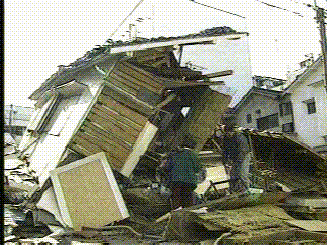
Pictures from Kobe, after the 1995 Earthquake.
[Home]
[Why]
[Description]
[Capabilities]