| Wiping Free Disk Space With BCWipe & Eraser |
|
BCWipe
Open "My Computer" from your desktop. Then right click drive "C" and choose "Wipe free space".  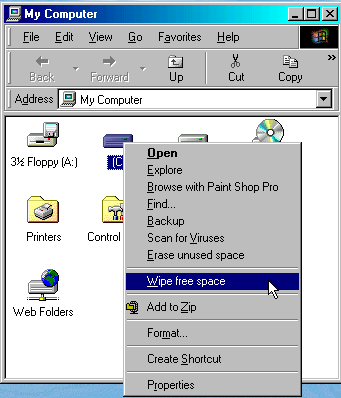 You will then be prompted to enter the number of passes etc. 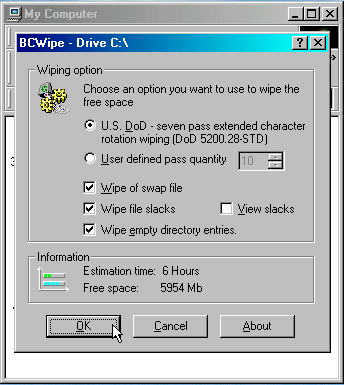 Eraser
Open "My Computer" from your desktop. Then right click drive "C" and choose "Erase unused space". 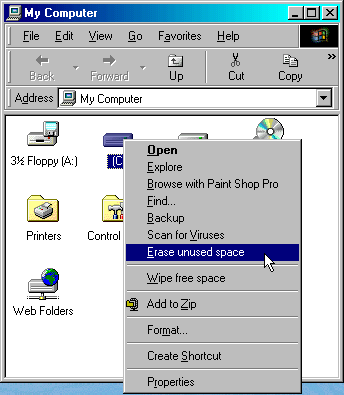 You will then be promted with the "Confirm" box.  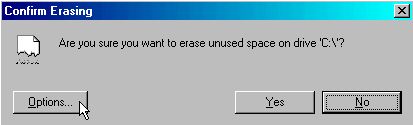 Choose at least 7 passes (U.S. DoD) for secure deletion. 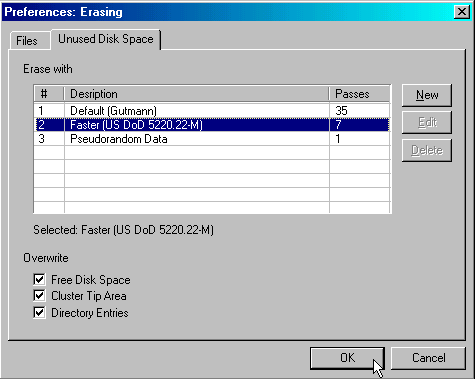 |
| Back to How To |