THE ERASER TOOL
THE ERASER TOOL
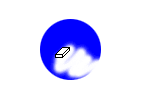
Here we are going to erase the circle we created in the Circles and Squares tutorial. In the vertical tool bar on the left side of the screen you will see a little eraser tool like shown. Click on this.

Now lets select how big our eraser is by clicking on a
brush type in the brush pallet like shown. If you don't see the brushes, try
going to Windows>Show Brushes.

Now just hold down the mouse button and erase your
object.