
 Yahoo! Packet Sniffing and
Coding
Yahoo! Packet Sniffing and
Coding
Yahoo! Packet Sniffing and
Coding
-I made this Tutorial because I got asked for it. If you learn from it and / or use it than please do so in a Educational way only. For more help to this Visit our Forums and Post your Question in the Programming / Vb Section. I made this from my own Experience so don't Copy that and bring it into your Site without Permission!
-Okay we start with Sniffing a Package for that I use Ether Detect Packet Sniffer V 1.2 . If you do not have it you can Download it here. I put the Serial with in so you do not need to Pay for It!
Click Here to Download Ether Detect Packet Sniffer V 1.2 + Serial !
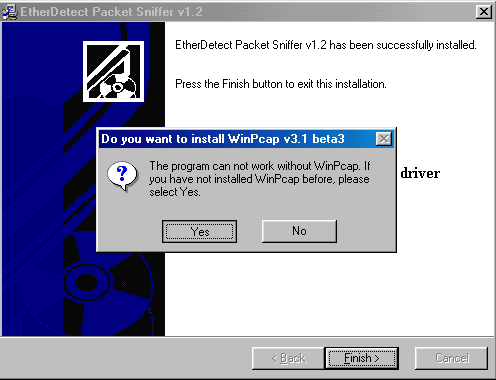
-Okay once you got the Packet Sniffer run the Setup Etc. If it asked you to run the WinPcap v.3.1 beta3 Setup click Yes!
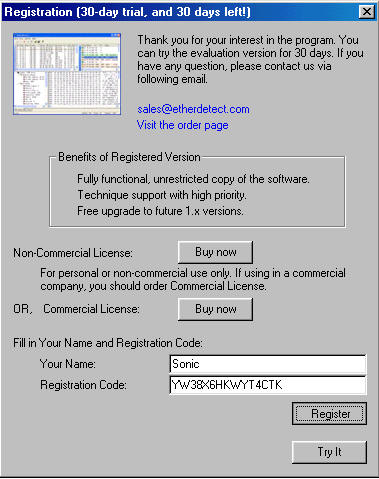
-Once Installed open it and Enter the Name and Serial that Comes with the Download and click Register!
-Now that we have the
Packet Sniffer Let us Start to Sniff a Yahoo Packet. I logged into my Yahoo
Messenger now to send someone a Buzz so i can get the Packet for it.I Start a
Packet Sniffer and Send my Friend a Buzz.After I Send a Buzz to another Id i
Checked the Packet Sniffer and it looked like this.
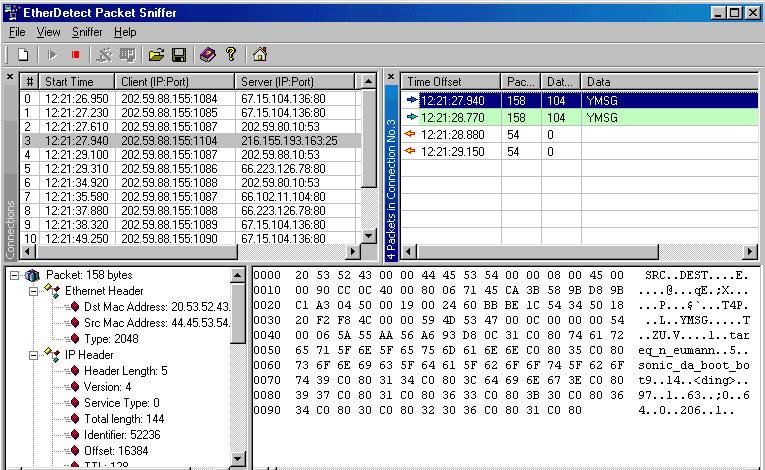
-The Difficult thing is you need to get the Server Port like you see it is the 3rd by me. Once you Clicked on the Server Port The Packages will be Shown on the Right Site. The Blue Arrow are Outgoing Packages that i Send. The Orange/Yellow arrows are what i Recieved. I Clicked on the First Packet and you can See the Packet. This Packet appeared after I buzzed the Yahoo Id sonic_da_boot_bot9.If you click down on Data you will see the Data like this
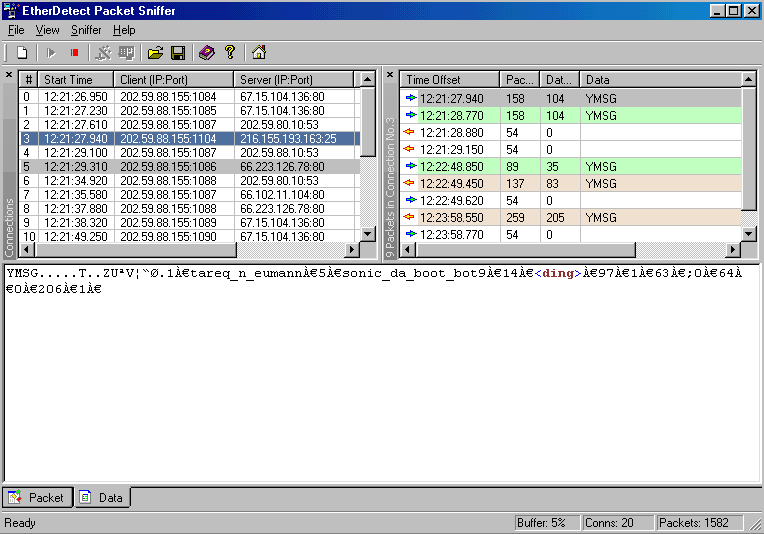
Okay this was just for your Information now we can start.
- Okay as you can see the Data looks like this here
YMSG.....T..ZUªV¦“Ø.1À€tareq_n_eumannÀ€5À€sonic_da_boot_bot9À€14À€<ding>À€97À€1À€63À€;0À€64À€0À€206À€1À€
Now this here is the Header that we Do not Need! YMSG.....T..ZUªV¦“Ø.
So what you need to have is this 1tareq_n_eumann5sonic_da_boot_bot914<ding>97163;06402061<This is your Packet
Now I gonna tell you only what you need to Know to Read all of this stuff good so you won't make any Mistakes. Just for these that do not know , What you see here is a Buzz Pm. My Yahoo id was tareq_n_eumann and i send a Buzz to sonic_da_boot_bot9 . the <ding> is the Buzz. At this Point i Start Coding the Packet.I open my Visual Basic 6.0 and Open a Standard Exe and than a new Module.
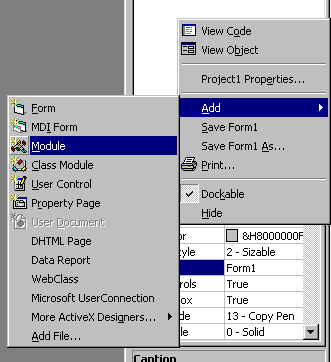
So here we Start i write this in my Module
Public Function Buzz(From As String, Victim As String)As String
End Function
Now I enter the Packet into It like this.For these who Forgot this is our Packet
1tareq_n_eumann5sonic_da_boot_bot914<ding>97163;06402061
This looks like this in my Module.

Now we Code it a Little.
Dim Pck As Strink
Pck = "" [ This should Looking like this]

Now comes the Difficult Part for Newbies. We need to Figure out what the Header is. For that i go Back to my Packet Sniffer and look at my Packet.Now do like I did.The header Starts with 4D I Click on the Y from YMSG
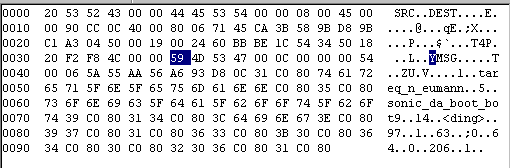
I Made it so i can see where the header Starts you can see the 4D after the 59.
YM = Hex 4D then you go to the Next 11 Characters on Hex
53 = 2 Character
47 = 3 Character
00 = 4 Character
0C = 5 Character
00 = 6 Character
00 = 7 Character
54 = 8 Character
00 = 9 Character
06 = 10 Character
57 = 11 Character (this is the Header Type)
Did you Understand that? If not let me try again. Count 10 Characters next from the 4D. 11 Characters with the 4D.When you did it you get the Header my Header is 06.
I hope you Understand this now the 06 is our Header that we need to finish the Packet. Now i know that my Header is 06 i go back to my Module. This is what I add on the end of the Packet,
Buzz
= Header("06", Pck)
Debug.Print Buzz
This all looks like this now

Now lets Finish the Packet
Now i Brake the Packet with From and Victim.

Did you see what i did here? Easy, Huh - So now this is a 95% Packet now we need to change the Rest.As i told you i was tareq_n_eumann and i did send sonic_da_boot_bot9 a Buzz pm. So we need to Changed tareq_n_eumann to From and sonic_da_boot_bot9 to Victim. This all looks like this.

So we did it our Packet Completed. Yup its that Easy :D. You can check it out now.
Do it like this
Winsock1.SendData Buzz(Text1, Text3)
Text1 is the Bot you Logged in and Text 3 the Victim.
-Okay this is It! I hope i could help you out with this. Don't forget Jehanzeb.tk is the Only site who got this art of Tutorial so if you see a Copy let us Know.
Tutorial by _
Jehanzeb_ - Copyright Jehanzeb.tk