
 PAGE PROPERTIES
PAGE PROPERTIES
Now it's time to begin working on your first page. Before you begin with the page it's best to define properties of the page, such as Colors and the Title. This can be done with the Page Properties dialog.
The Page Properties can be found in the Modify menu, or with the keyboard shortcut Command-J or CTRL-J.
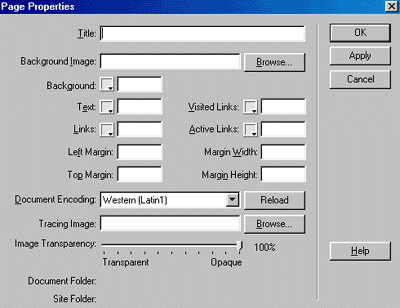
Title: The title is what appears on the top of the browser bar. For this page the title is 'Dreamweaver Tutorial: Part 3'. The title is also what appears inside the <TITLE> container tag.
In the 'Background Image' field you can specify a tiling image to use for your background.
One can specify a Background color in the 'Background' field. This number must be a hexadecimal value or one of the standard colors. If you are unsure about the hexadecimal value, you can pick from Dreamweaver's Web Safe Color Palette.
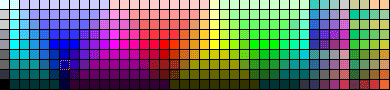
You will learn more about how Dreamweaver uses colors on the next page.
You can also specify colors for Text, Links, Visited Links and Active Links in the corresponding fields.
The Left Margin, Top Margin, Margin Width and Margin Height fields are all used to determine how far the body of the page is from the edge of the browser. This must be a number in pixels.
As you can tell if you use 0 for all your margins, there no spacing between the edges of the browser window and your content.
The Document Encoding field is where you select the Character Set for your page. If your page is in English you should leave this at the default - Western (Latin1).
Copyrights -Jehanzeb.Tk