
 CHAT CLIENTS
CHAT CLIENTS
| CheetaChat - http://www.cheetachat.com | ||
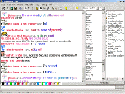 |
CheetaChat has been around a while, and boasts many of it's own unique features. It has avatar support, a huge repository of them, and you can design and have your own included. Like other clients, it's boot proof and customisable. | |
GOODAvatars |
BADAd Banners |
|
| YahELite - http://www.yahelite.org | ||
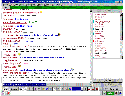 |
Not as old as cheeta, but YahELite has been around a long time, and is very easy to customise, most aspects of the client can be customised to your own liking. It's very small to download and is a low memory user. It's easy to operate, but you might get confused at the start. Smaller, limited versions are also available, See Here. | |
GOODFile Sharing |
BADConfusing to the new user for the first 10 minutes! |
|
| YaZak - http://messy.zak.2ya.com | ||
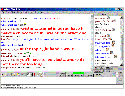 |
A fairly new client produced in Visual Basic (which means you may need the runtime files off the site). It doesn't have the best of user interfaces, but it has tried, and it works well. It's fairly boot proof. | |
GOODGossip Chat |
BAD |
|
| YahEh - http://www.yaheh.org | ||
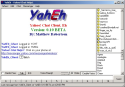 |
This is a new client that unlike many others logs you in twice for extra protection. Your chat will be performed through the secure YCHT protocol, while your Instant Messages and Buddy Lists will be performed through the more reliable YMSG protocol. | |
GOODSimultaneous YCHT and YMSG |
BADNo fades yet, fades will appear as alternating colours. |
|
| Yah-Too - http://www.geocities.com/trolling_around | ||
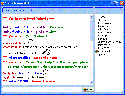 |
The newer and maintained version of Yah-Ha by Trolling Around. Unfortunately it has no graphical smileys, it uses a font typeface. It is low on features however it lets you add your own through scripts! | |
GOODVery nice user interface |
BADLimited features |
|
| JAM - http://www.geocities.com/trolling_around | ||

|
By the author of YahToo below,
this is the only 3rd party client listed here that has put more emphasis
into the Messenger part of the client, such as the movements of buddies,
offline messages. You can use it like Yahoo! Messenger, without entering a
chat room! BUT it does also have a chat client built in, so you can chat!
It's very much like the Yahoo! Messenger, without some of their features
such as IMVironments. For full voice access, skins and avatars, use JAM Version 5. |
|
GOODBuddy Management |
BAD |
|
| Y!Chat - http://www.ekriirke.com/YChat | ||
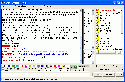 |
Original 3rd Party Chat Client. Extends those features of the java client but unfortunately some of it's unique features no longer work due to Yahoo! Changes. | |
GOODAvatars on user list |
BADUser Interface is lacking in some areas. |
|
| My!Chat - http://mychat.fxscripts.com | ||
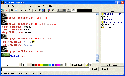 |
Another client written in Visual
Basic requiring (provided) the Visual Basic runtimes. Personally had issues with the output, but other people like this client. People have said your actions on this chat client may be monitored remotely, I don't know. |
|
GOODCustomisable avatars |
BADBasic fader, no YMSG support. |
|
| Y!Chamber - http://www.ychamber.com | ||
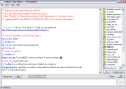 |
This is a newer YCHT based client. Pretty basic at present, but includes voice. | |
GOODDebug Mode |
BADNo Colours, Fonts or Fades |
|
| Gyach - http://www4.infi.net/~cpinkham/gyach/beta/win32/ | ||
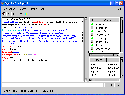 |
Another client developed for GNU/Linux but ported into Windows. This client boasts some features in Linux which are not available on the Windows Platform, or failed to operate on Windows, such as smileys and blends. The colour/font support was also poor. Unsure of Status | |
GOOD |
BAD |
|
| Y!Mlite - http://www.ymlite.co.uk | ||
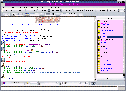 |
A newer client written in Delphi.
Also has a more compact limited version available. Has 100 smileys,
extends that of the 79 Yahoo! ones. Has automation features. no long work
around required. Y!Mlite recently included the YahELite Extension feature, and personality feature. |
|
GOODIntelligent name complete |
BAD |
|