|
ชื่อ
ฐานข้อมูล \db\database.mdb [
Downloads
ฐานข้อมูล ]
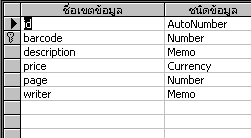
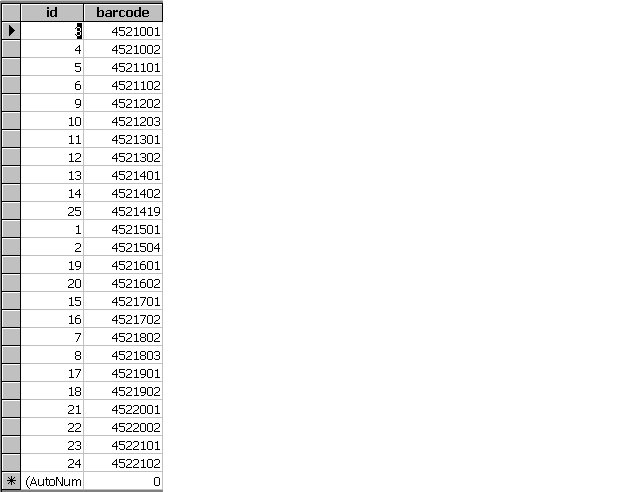
ชื่อตาราง Cus_product
ชื่อ Filed
-
ID
- Barcode
- Description
- Price
- Page
- writer
ขั้นที่
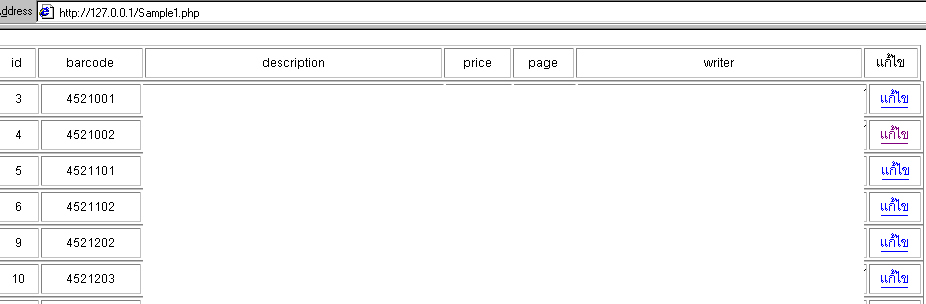
1 ต้องทำ Form เพื่อเลือกรายการที่จะแก้ไข
Sample1.php
<html>
<body>
<?
$dsn_name = "database";
$username ="";
$password ="";
$connect_link= odbc_connect($dsn_name, $username,
$password) or die("ติดต่อ DSN ไม่ได้");
$sql = "select * from Cus_product";
$execute = odbc_exec($connect_link, $sql)
or die ("เอ็กซิคิวส์คำสั่งไม่ได้");
?>
<table border="1" width="926">
<tr>
<td width="34">
<div align="center">id</div>
</td>
<td width="101">
<div align="center">barcode</div>
</td>
<td width="293">
<div align="center">description</div>
</td>
<td width="63">
<div align="center">price</div>
</td>
<td width="57">
<div align="center">page</div>
</td>
<td width="282">
<div align="center">writer</div>
</td>
<td width="50">
<div align="center">แก้ไข</div>
</td>
</tr>
</table>
<?
$i=1;
while(odbc_fetch_row($execute,$i))
{
$id=odbc_result($execute,"id");
$barcode=odbc_result($execute,"barcode");
$description=odbc_result($execute,"description");
$price=odbc_result($execute,"price");
$page=odbc_result($execute,"page");
$writer=odbc_result($execute,"writer");
?>
<table border="1" width="929">
<tr>
<td width="37">
<div align="center">
<? echo "$id"; ?>
</div>
</td>
<td width="96">
<div align="center">
<? echo "$barcode"; ?>
</div>
</td>
<td width="297">
<? echo "$description"; ?>
</td>
<td width="62">
<div align="right">
<? printf ("%.2f",$price);
?>
</div>
</td>
<td width="58">
<div align="right">
<? echo "$page"; ?>
</div>
</td>
<td width="285">
<div align="right">
<? echo "$writer"; ?>
</div>
</td>
<td width="48">
<div align="center"><a
href="Sample2.php?id=<?echo"$id";
?>">แก้ไข</a></div>
</td>
</tr>
</table>
<?
$i++;
}
?>
<?
odbc_close($connect_link);
?>
</body>
</html>
Out
Put
ขั้นที่ 2 ต้องทำ Form เพื่อแก้ไขรายละเอียด
Sample2.php
<html>
<body>
<?
$dsn_name = "database";
$username ="";
$password ="";
$connect_link= odbc_connect($dsn_name, $username,
$password) or die("ติดต่อ DSN ไม่ได้");
$sql="SELECT * FROM Cus_product Where
id=$id";
$execute = odbc_exec($connect_link, $sql)
or die ("เอ็กซิคิวส์คำสั่งไม่ได้");
$id=odbc_result($execute,"id");
$barcode=odbc_result($execute,"barcode");
$description=odbc_result($execute,"description");
$price=odbc_result($execute,"price");
$page=odbc_result($execute,"page");
$writer=odbc_result($execute,"writer");
?>
<p>แก้ไขข้อมูล</p>
<form name="form1" method="post"
action="Sample3.php">
<p>รหัสสินค้า
<input type="text" name="barcode"
value="<? echo"$barcode";
?>">
<br>
ชื่อหนังสือ
<input type="text" name="description"
value="<? echo"$description";
?>">
<br>
ราคา
<input type="text" name="price"
value="<? printf("%.2f",$price);
?>">
<br>
จำนวนหน้า
<input type="text" name="page"
value="<? echo"$page";
?>">
<br>
ผุ้แต่ง
<input type="text" name="writer"
value="<? echo"$writer";
?>">
</p>
<p>
<input type="hidden" name="id"
value="<? echo "$id";
?>">
<input type="submit" name="Submit"
value="แก้ไขข้อมูล">
</p>
</form>
</body>
</html>
Out Put
ขั้นที่
3 ทำ Form เพื่อบันทึกข้อมูลที่แก้ไข
Sample3.php
<?
$dsn_name = "database";
$username ="";
$password ="";
$connect_link= odbc_connect($dsn_name, $username,
$password) or die("ติดต่อ DSN ไม่ได้");
$sql = "update Cus_Product set barcode='$barcode',description='$description',price='$price',page='$page',writer='$writer'where
id=$id";
$execute = odbc_exec($connect_link, $sql)
or die ("เอ็กซิคิวส์คำสั่งไม่ได้");
odbc_close($connect_link);
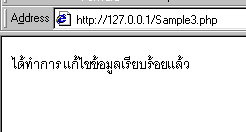
echo"ได้ทำการ แก้ไขข้อมูลเรียบร้อยแล้ว
";
?>
Out
Put

|


